
Clean hidden metadata before you share
Inspect what is embedded in your photos and documents, remove what you choose, and export a clean copy — 100% offline on iPhone and Mac, no account, one-time purchase.


Free to try · iPhone $9.99 · Mac $19.99 one-time
This is one of the most practical privacy problems for professional users. You send a contract draft, spreadsheet, or presentation deck to someone outside your team, and the file carries more context than you meant to hand over.
Which format leaks what
The three formats you send most do not carry the same risks, and the differences decide what you need to check before hitting send. The OOXML standard (ECMA-376) defines dozens of property fields that Word and Excel populate automatically; PDF carries a smaller set, but adds one that surprises people — a record of the tool that produced it, and often the author of the file it was exported from.
| Hidden data | Word (DOCX) | Excel (XLSX) | |
|---|---|---|---|
| Author / last modified by | Often | Yes | Yes |
| Company / manager fields | Rarely | Yes | Yes |
| Created / modified timestamps | Yes | Yes | Yes |
| Producing application & version | Yes | Yes | Yes |
| Total editing time | No | Yes | Yes |
| Tracked changes / comments | No* | Yes | Yes |
| Linked-file paths | Sometimes | Sometimes | Yes |
| Hidden sheets / rows | — | — | Yes |
* A PDF exported from a Word file with tracked changes will not show the changes, but can still carry the source document's author and title fields.
PDFs: the format people assume is already safe
"Save as PDF" is widely treated as a cleaning step. It is not. Exporting to PDF flattens the visible layer — tracked changes and hidden rows stop being readable — but the export writes a fresh set of document properties, and those routinely inherit the author and title from the source file. The PDF also records which application produced it, down to the version, which is how a document intended to look like it came from a firm can quietly announce that it was exported from someone's personal laptop.
So a PDF deliverable needs the same check as the DOCX it came from. Inspect it after export, not before — the export is what creates the new metadata.
Why this matters for client-facing work
Consultants, HR teams, lawyers, recruiters, agencies, and internal ops teams all share document files externally. Hidden metadata can reveal personal names, company details, or workflow history that does not belong in the recipient’s hands.
Legal, competitive, and reputational risk
Metadata leaks in office documents are rarely dramatic in isolation. The real risk is cumulative: author names, company details, revision context, comments, or linked content can collectively reveal more than the document itself. In legal, consulting, or recruiting contexts, that can create embarrassment or expose negotiation and drafting history that should have stayed private.
Track changes and revision risk
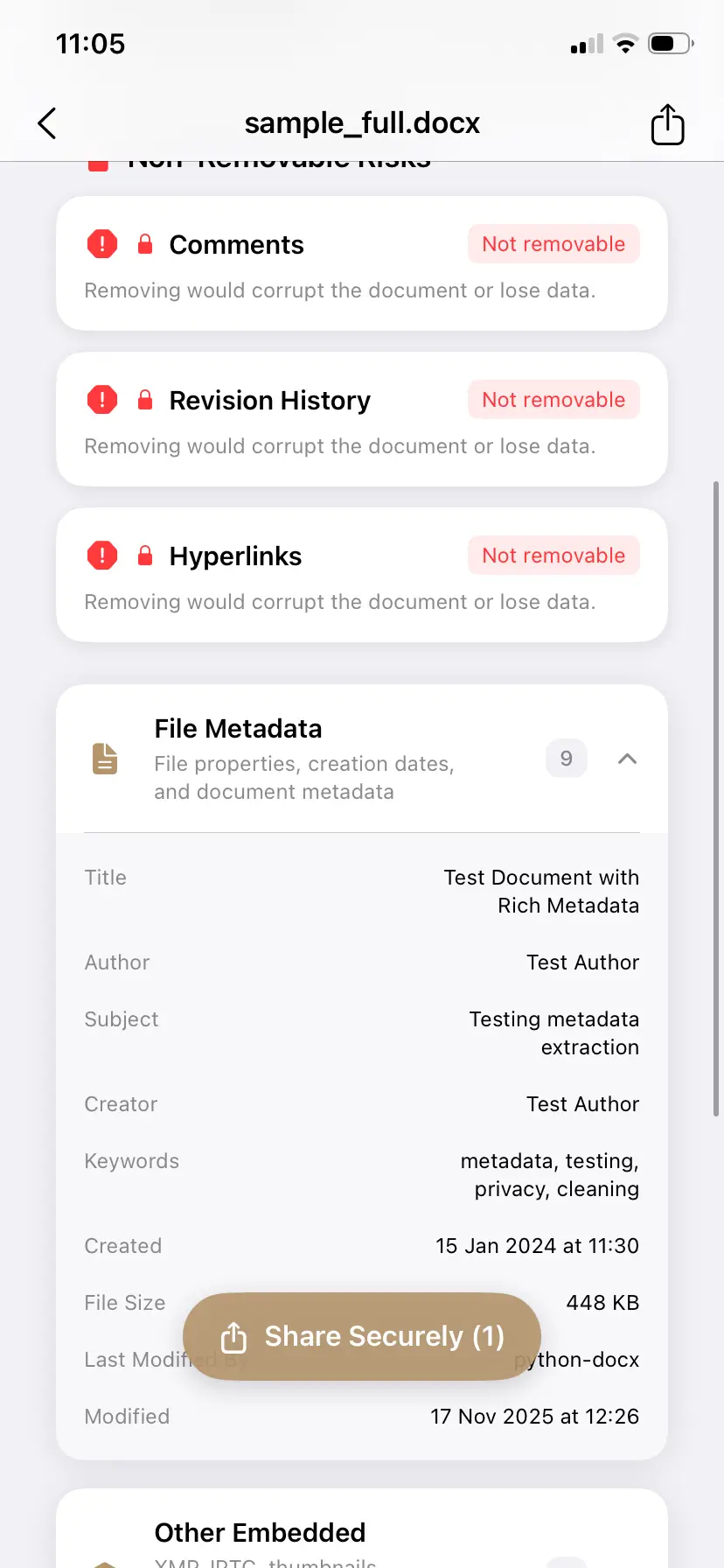
Some document risks are about metadata fields. Others are about embedded history or document structure that should be treated carefully. If the app detects risky content but does not remove it automatically, that distinction matters and should be stated plainly.
Recommended workflow
- Open the DOCX or XLSX file before external sharing.
- Inspect document metadata and personal information fields.
- Review warnings for risky content that may need separate handling.
- Export a cleaner copy for the recipient.
The demo runs that workflow on a Mac across a mixed batch — images, PDFs, and an Office file together — ending with a summary of exactly how many fields were removed from each one. If a mixed folder is your normal case, the metadata remover for Mac handles it as a Finder Quick Action, without opening an app at all.
How PrivyClean handles DOCX and XLSX differently
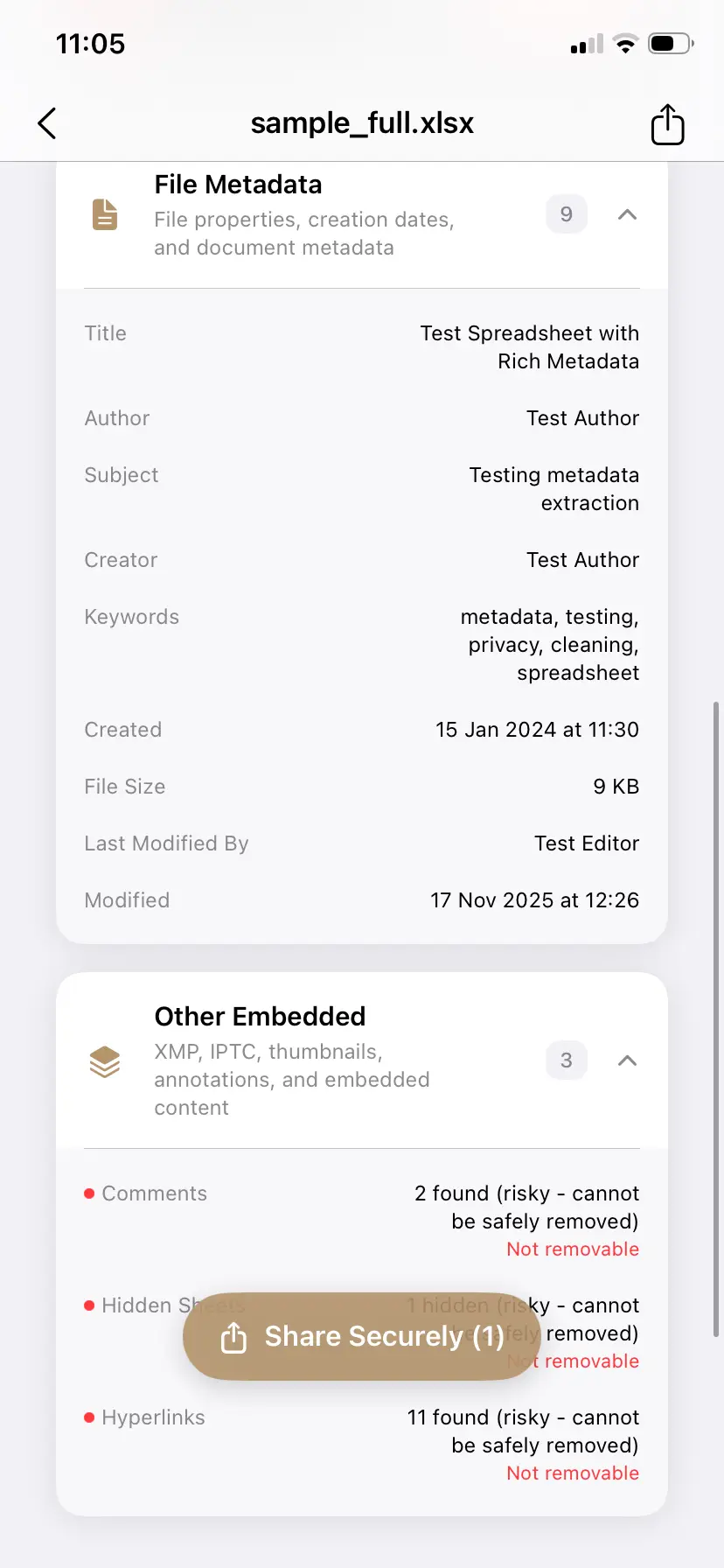
The product’s value here is not just broad support. It is clear grouping. Different file types surface different risks, so PrivyClean separates metadata and warns when a risky embedded element should be left in place to avoid damaging document structure or function.
Why a single tool matters
Teams rarely share one file format. They share images, PDFs, and office documents in the same week. The value of PrivyClean is that the review and cleaning workflow stays coherent across those file types instead of forcing you into separate niche utilities.
Common handoff mistakes to avoid
The most common mistake is assuming that visible content is the whole file. A polished spreadsheet or contract draft can still carry the wrong author, internal company metadata, or clues about earlier editing stages. That is why the workflow should start with inspection rather than treating cleanup as a blind export checkbox.