
People often think of PDFs as static and final. In reality, they are often rich containers with document properties, embedded metadata, and sometimes risky elements such as annotations or JavaScript. If you send proposals, contracts, reports, or client deliverables, those details matter.
What PDF metadata can reveal
- Author, creator, or producer names
- Creation and modification timestamps
- Title, subject, and keyword fields
- Embedded XMP metadata (Adobe's Extensible Metadata Platform)
What makes PDF cleanup different from photo cleanup
A PDF is often a more complex container than an image. Alongside visible content, it may carry document properties, embedded metadata, annotations, scripts, and review-related artifacts. That is why a transparent product should distinguish between what can be safely removed and what should be flagged instead of pretending every file can be stripped to nothing without consequences.
Professional scenarios where this matters
Lawyers, consultants, recruiters, designers, and freelancers routinely share PDFs outside their own organization. A file that still exposes internal authorship or software information can create avoidable friction, leak company details, or simply make a document look less controlled than it should.
What PrivyClean detects but may not remove
PDF annotations, JavaScript, and extended metadata can be real privacy risks, but removing them automatically may break forms, layout behavior, or the usefulness of the file itself. PrivyClean flags those items clearly instead of pretending every PDF can be flattened safely.
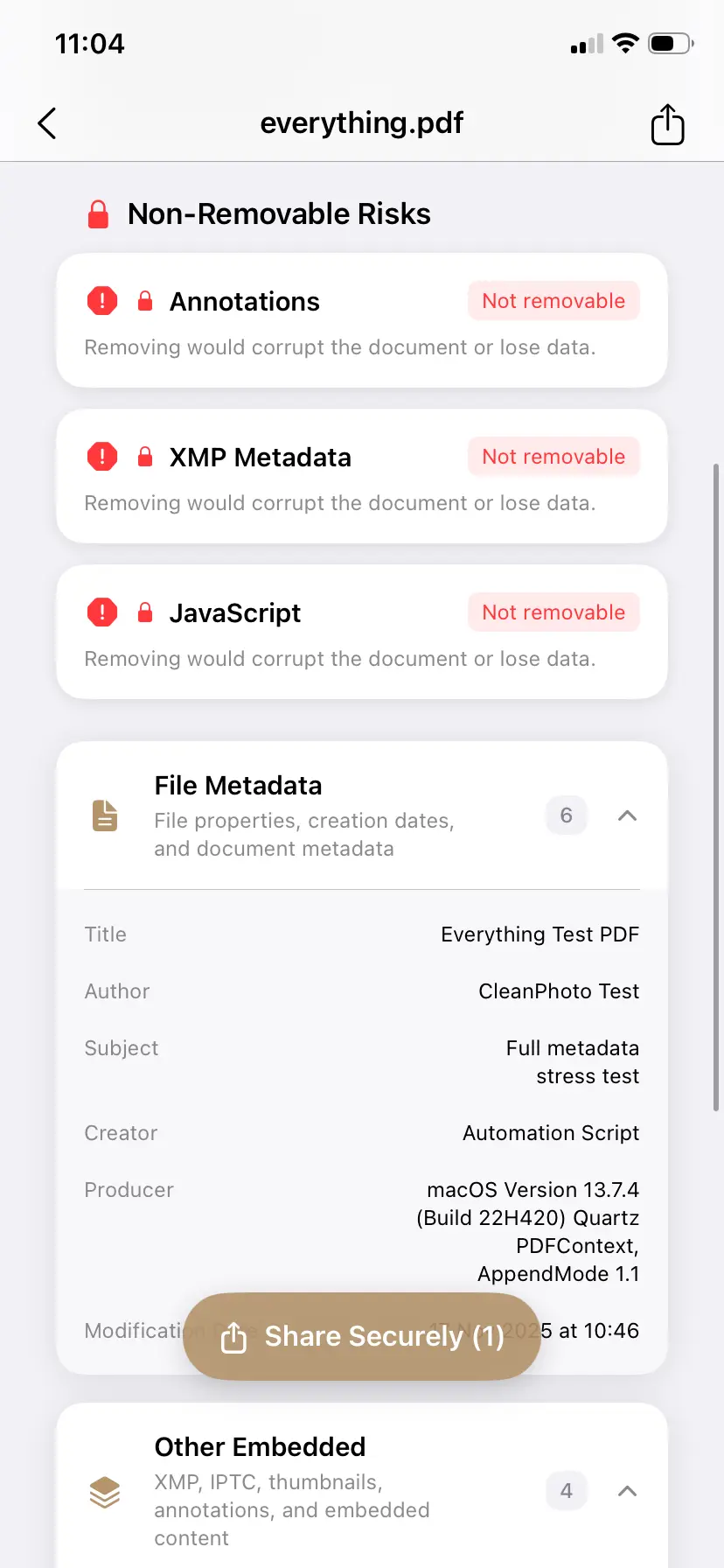
Why preview matters more than blind stripping
Document cleaning is not just about deleting every possible field. It is about knowing what is there and understanding whether removal is safe. The right promise for PDFs is simple: inspect the file, remove what can be removed safely, and warn about elements that may need extra attention.
Suggested workflow before sending a PDF
- Inspect author, creator, and timestamp fields.
- Check for embedded XMP or other metadata blocks.
- Review warnings about risky elements that may need manual handling.
- Export a cleaner copy for external sharing.
Why this matters for lawyers, consultants, and freelancers
Client-facing PDFs are supposed to feel polished and controlled. Hidden metadata undercuts that impression when it reveals the wrong author, internal software context, or editing traces that were never intended for a client or counterparty. In professional settings, privacy and presentation quality are closely linked.
Related cleanup paths
If your work also includes Word files or spreadsheets, continue to the dedicated guides for Word documents and Excel spreadsheets, or the DOCX/XLSX overview. PDFs generated with AI assistance can carry their own fingerprints — see AI metadata in documents. If the files are images rather than PDFs, review photo location metadata and camera EXIF cleanup.
If you process many files at once, the desktop workflow on PrivyClean for Mac is often the better fit.