
Clean hidden metadata before you share
Inspect what is embedded in your photos and documents, remove what you choose, and export a clean copy — 100% offline on iPhone and Mac, no account, one-time purchase.


Free to try · iPhone $9.99 · Mac $19.99 one-time
The photographer's dilemma
The scenario is increasingly common: you shoot a real scene with a real camera, take it into Photoshop, use Generative Fill to remove a distracting power line from an otherwise clean composition, and export the image. You post it to Instagram. Instagram labels it "AI Generated."
The image is authentic photography. The AI tool was used for a minor retouching task. But Adobe embedded C2PA content credentials in the exported file the moment Generative Fill was invoked — and Instagram read those credentials at upload without any human review.
This is the false positive problem for photographers, and it is getting worse as AI features become more deeply integrated into standard editing workflows.
What triggers AI labels on real photographs
Adobe Photoshop and Lightroom embed C2PA content credentials automatically when these AI features are used:
- Photoshop Generative Fill and Generative Expand — the most common trigger. Any use of these tools on any layer in a document will result in C2PA metadata being written at export.
- Neural Filters — includes Sky Replacement (AI version), Portrait enhancement, Smart Portrait, Depth Blur, and others.
- Content-Aware Fill (AI backend) — the AI-powered version of content-aware fill writes different metadata than the non-AI version.
- Lightroom AI-powered Denoise — runs a trained model on the image during export. May write metadata indicating AI processing.
- Lightroom AI Masking — Select Subject, Select Sky, and similar AI-powered selection tools. The C2PA manifest records AI feature usage in the actions list.
- Lightroom Generative Remove — equivalent to Photoshop's Generative Fill for object removal.
The C2PA manifest records each of these as an action but does not distinguish between "removed a blemish" and "generated an entire background." Platforms reading the manifest see that AI was involved and apply their label uniformly. For more detail on the manifest structure, see our C2PA explainer.
What the EU AI Act says about edited photos
Short answer: a real photograph with minor AI-assisted edits is generally not the "AI-generated content" the law expects you to disclose. The EU AI Act's Article 50 disclosure requirements target synthetic content that could be mistaken for authentic material. A real photograph where the photographer removed a power line with Generative Fill is arguably not "AI-generated content" in the spirit of the law — the scene, the light, the composition, and the photographic intent are all real.
The legislation itself draws this line. Recital 133 states that the marking obligation "should not cover AI systems performing primarily an assistive function for standard editing or AI systems not substantially altering the input data provided by the deployer or the semantics thereof." Removing a distracting object from an otherwise real photograph sits much closer to standard editing than to generating a synthetic scene.
However, the law does not draw a precise technical boundary around what constitutes "substantially AI-modified." The implementing guidance and platform policies will clarify this over time. For now, the practical reality is that platforms enforce based on metadata, not intent — and if your file carries C2PA credentials, you will get labeled regardless of how minor the AI involvement was.
This creates a mismatch between what the law intends (disclosure of genuinely misleading AI content) and what platforms do (label anything with AI metadata signals). Photographers are caught in the middle.
How to manage this in your workflow
There are three reasonable approaches depending on your use case:
- Option 1: Disable Content Credentials at export. In Photoshop, go to File → Export → Export As (or Save for Web) and uncheck "Include Content Credentials." In Lightroom, check the export settings for content credentials options. This prevents C2PA from being written, but you must remember to do it before every export and the setting may reset.
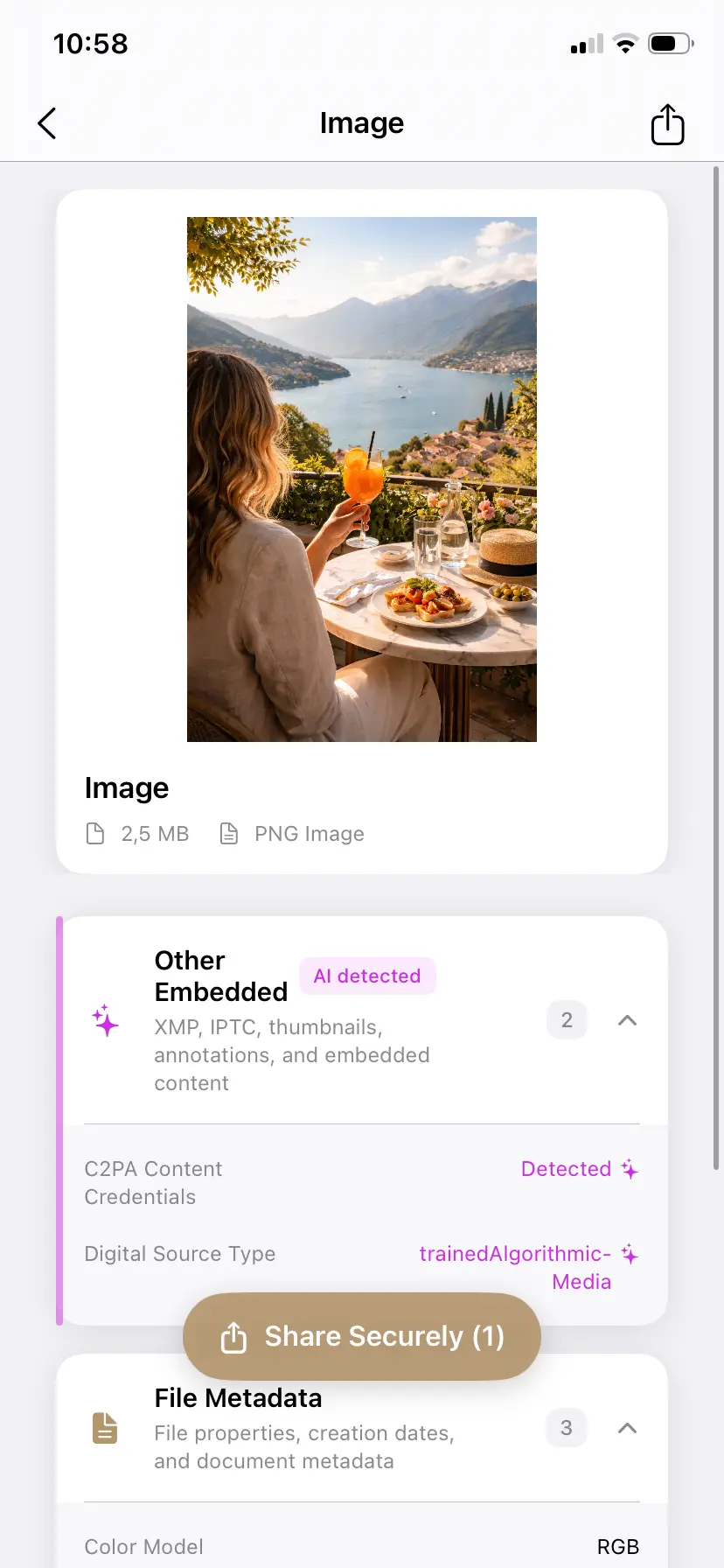
- Option 2: Inspect and clean after export. Export normally, then open the file in PrivyClean to inspect what metadata was written. If C2PA is present and you want to remove it before delivery or posting, export a clean copy. This works even if you forgot to disable credentials during export, and it gives you a record of what was in the original file.
- Option 3: Keep the metadata and accept the label. For editorial work, documentary photography, or contexts where transparency about AI tool use is valued, keeping the credentials is the right choice. The label accurately reflects that AI tools were involved, even if only minimally.
What wedding, event, and commercial photographers should do
Different photography contexts have different requirements:
- Wedding and event photographers: client deliverables labeled as AI-generated can confuse clients who expect authentic documentary work. If you use AI retouching tools, consider cleaning the metadata from client delivery files. Keep your working files with the original metadata intact for your own records.
- Commercial photographers: discuss metadata and AI disclosure with your clients upfront, especially for campaigns targeting EU audiences after August 2026. Some brands will want disclosure built in; others will not want AI labels on product photography.
- Stock photographers: Adobe Stock, Shutterstock, and Getty require AI disclosure during submission. If you used any AI features during editing, check their specific policies. In many cases, keeping the credentials and disclosing at submission is the right approach — and removing them to avoid disclosure may violate submission terms.
- Editorial and photojournalism: removing AI disclosure from editorial photographs is ethically problematic. Even minor AI use should be disclosed in editorial contexts. Keep the metadata.
The inspection step matters more than the decision
The most important change to make to your workflow is to add an inspection step before final delivery or posting. Knowing exactly what metadata your exported files carry — which AI features were used, what C2PA says, whether IPTC fields are set — puts you in control of the decision rather than discovering after posting that a platform labeled your work unexpectedly.
Related guides
- EU AI Act for content creators: the full picture
- Why Instagram labels photos as AI Generated
- What is C2PA? Content credentials explained
- Remove camera and device info from photos