
Finder Quick Action
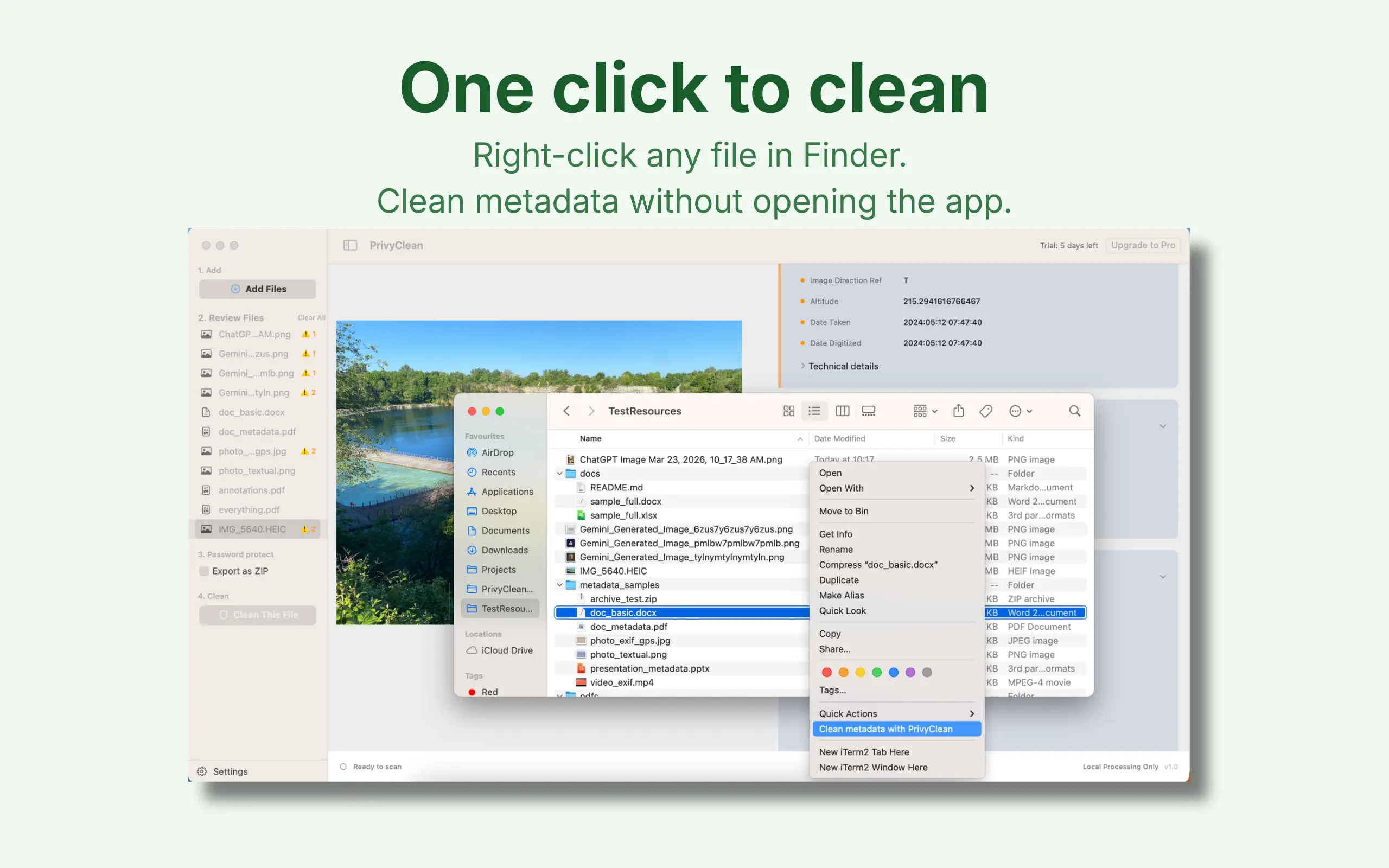
Clean files directly from the right-click menu instead of opening another tool first.
The Mac app is where PrivyClean becomes a production workflow. Review hidden data, batch-clean mixed file types, and use Finder Quick Actions when you do not want to open a browser tool or upload a document.

7-day free trial · Mac $19.99 one-time
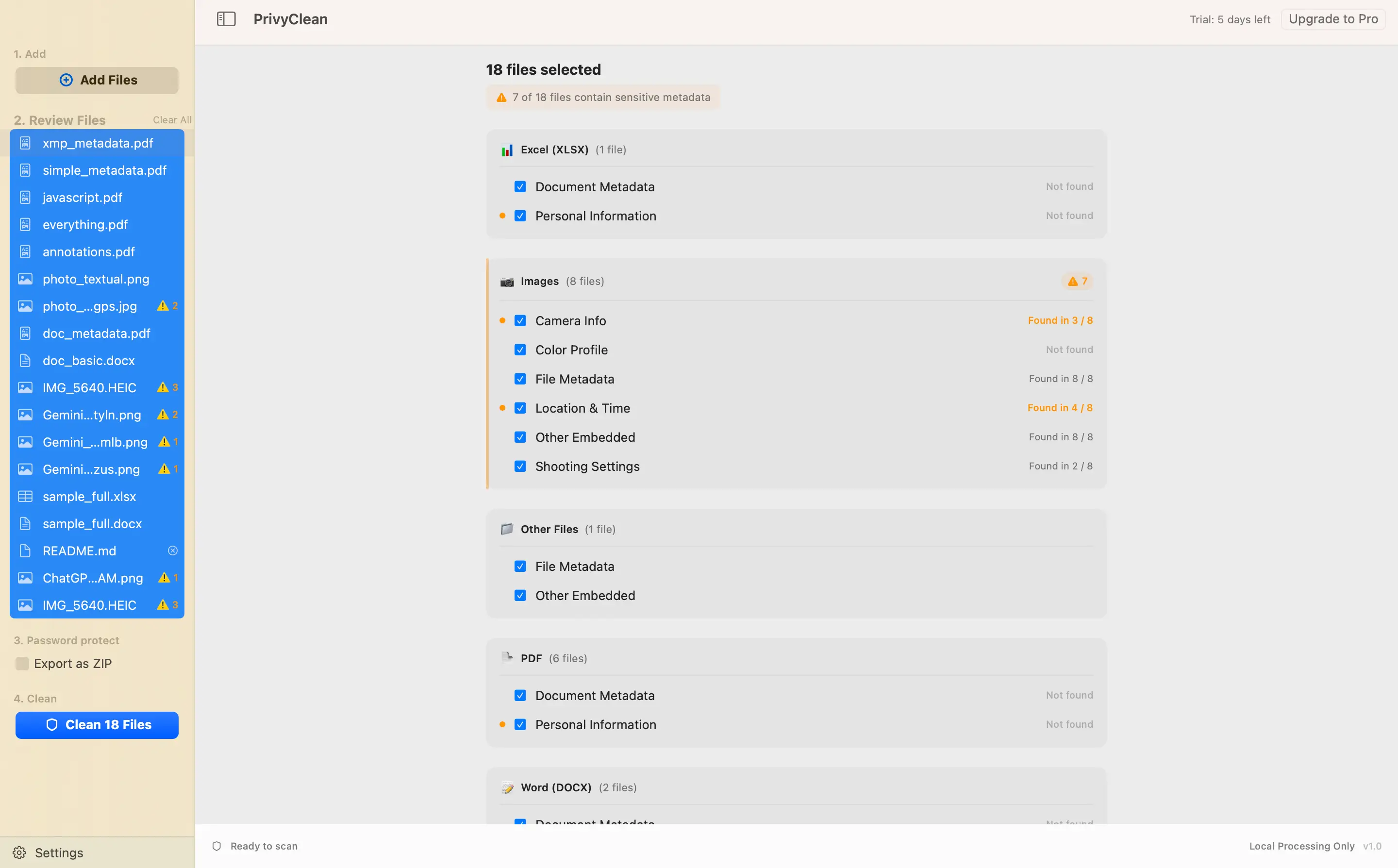
Hidden AI metadata found in a photo, removed in one click, a document cleaned straight from the Finder right-click menu, and five mixed files batch-cleaned at the end — all of it running locally on the Mac.
Clean files directly from the right-click menu instead of opening another tool first.
Inspect photos, PDFs, and office files in one queue before sending anything out.
See hidden fields before export, with grouped sections that are easy to scan.
Flag embedded items that may need manual handling instead of pretending every file is simple.
Process files locally on your Mac without routing documents through a cloud tool.
Export cleaner copies while keeping the source files intact for archive or comparison.
On macOS the advantage is workflow fit. People cleaning metadata on a desktop are often preparing files for clients, colleagues, or public distribution, so Finder integration and batch review matter more than novelty.
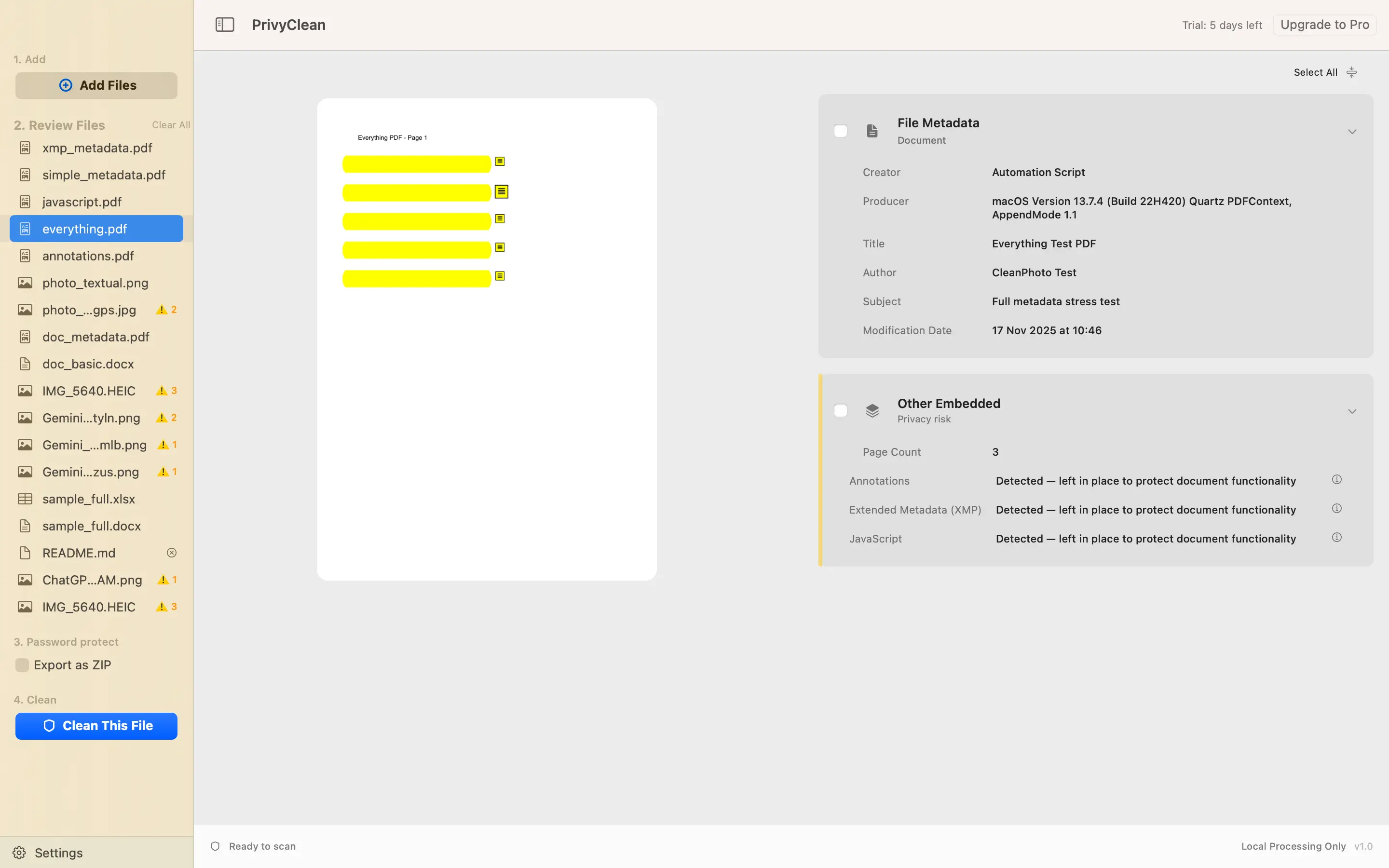
Right-click cleaning, preview before export, and support for both documents and images are what make the Mac workflow useful in practice.
The desktop rhythm is different from mobile. Mac users are more likely to clean folders of mixed files, review metadata side by side with the preview, and hand cleaned copies back into Finder for the next step in a professional workflow.
The Finder Quick Action is the sharpest differentiator on macOS, because it fits the workflow people already use to prep files.
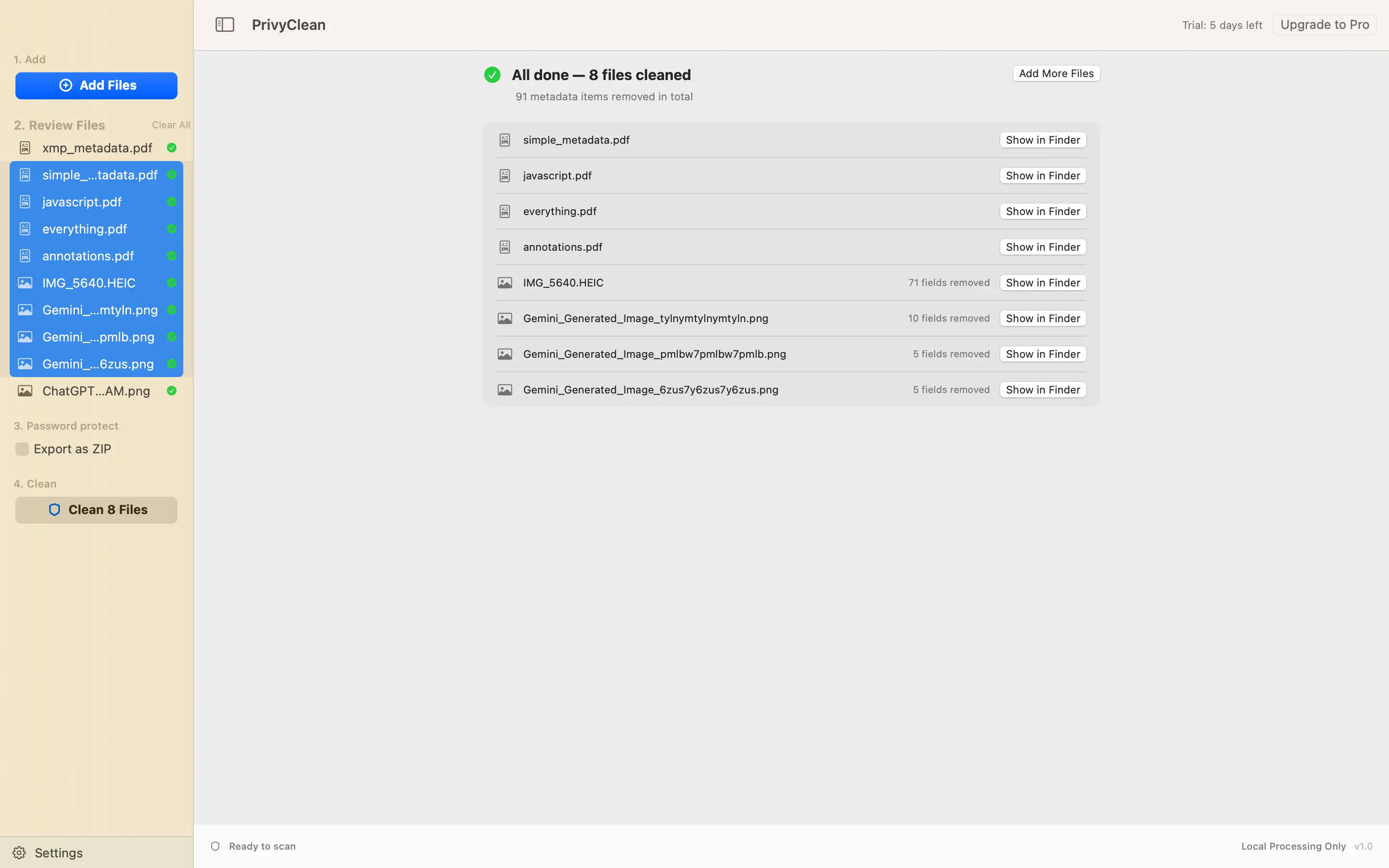
The app shows what changed, which files were cleaned, and gives you a direct path back into Finder when the job is done.
PrivyClean for iPhone is optimized for immediate sharing: pick a file, inspect what is hidden inside it, clean it, and send it on. PrivyClean for Mac is optimized for review-heavy work: Finder Quick Actions, larger previews, mixed file queues, and a clearer desktop handoff back into the file system.
The value is continuity. Whether you are cleaning one image before posting or a batch of PDFs and office files before sending them to clients, the workflow stays anchored in the same promise: inspect hidden data first, remove what you do not want to share, and keep the process local.
The basics people usually want to verify before they trust a metadata-cleaning app with real files.
The Mac app is optimized for desktop review: Finder Quick Actions, larger previews, mixed-file queues, and a cleaner handoff back into Finder after export.
Yes. The Mac positioning is strongest when it covers photos, PDFs, and office files in one batch-oriented review workflow instead of separate utilities.
Yes. PrivyClean for Mac is available now on the Mac App Store. Download it directly or find it by searching "PrivyClean" in the Mac App Store.
Replace separate metadata utilities with a single inspection and cleaning flow on macOS.
or try the free online checker → 7-day free trial · Mac $19.99 one-time