
C2PA in one sentence
C2PA (Coalition for Content Provenance and Authenticity) is an industry standard that embeds a cryptographic manifest into image files describing how the image was created, what tools were used, and whether AI was involved.
When you export an image from ChatGPT, Adobe Firefly, or Photoshop with AI features enabled, C2PA data is written into the file. When you upload that file to Instagram, Instagram reads that data and decides whether to show its "AI content" label.
What C2PA looks like in practice
The same AI-generated image, posted to Instagram twice. The version still carrying its C2PA content credentials got Instagram’s AI label; the version we cleaned first did not.
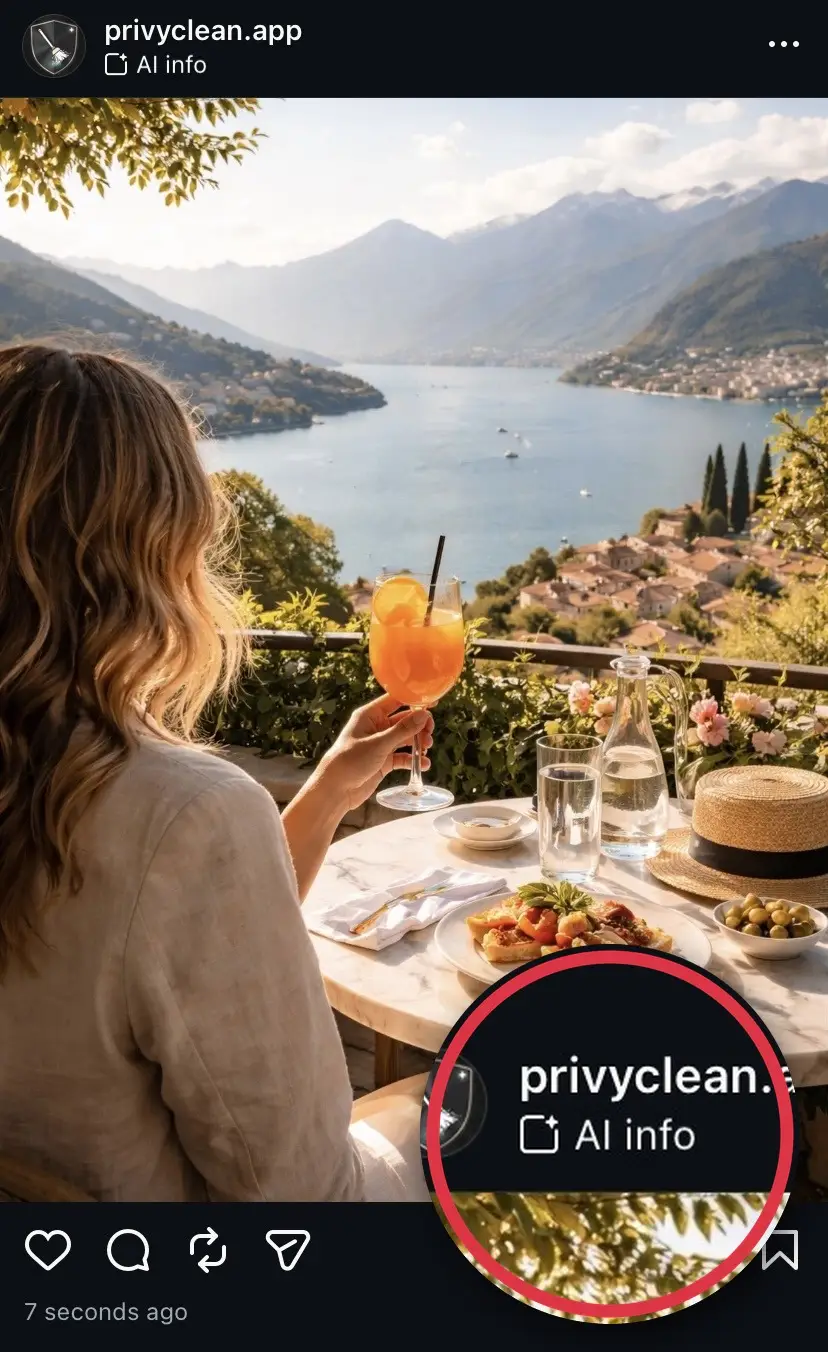
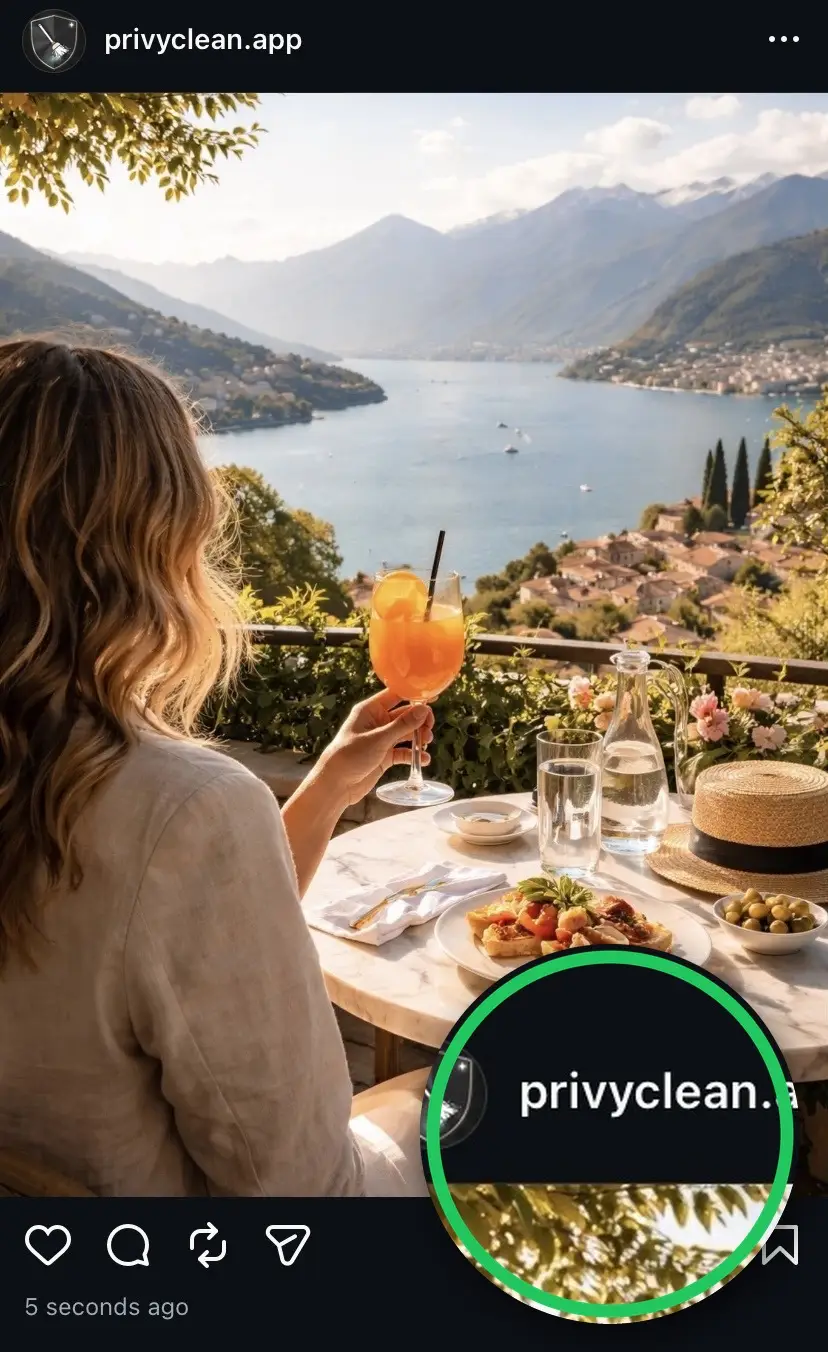
Result from our own test. Instagram’s labeling can change over time and may use other signals in the future, but removing C2PA and AI metadata addresses the most common trigger today.
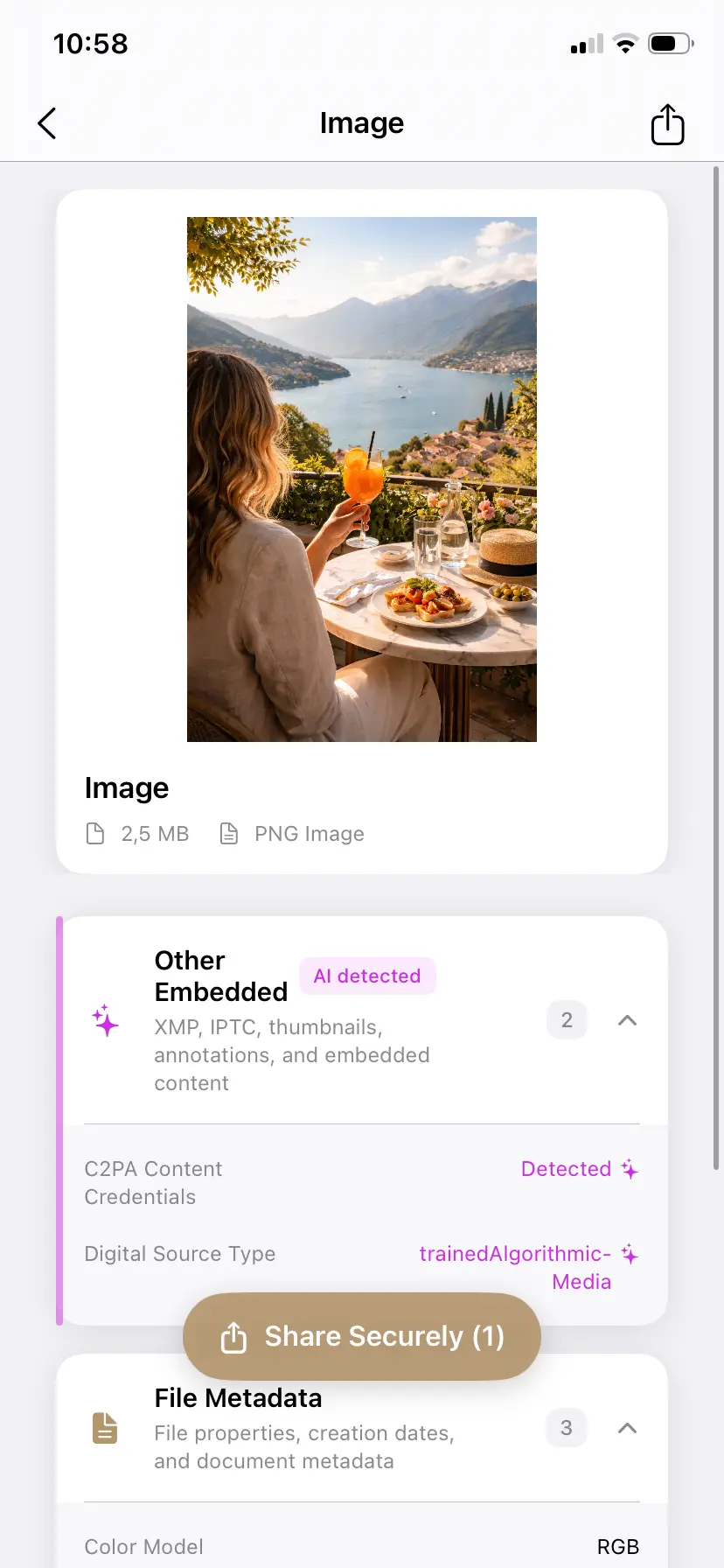
See the C2PA data inside your own images
PrivyClean shows the content credentials embedded in any file — and removes them if you choose. 100% offline on iPhone and Mac.


Free to try · iPhone $9.99 · Mac $19.99 one-time
Who created C2PA and why
C2PA was founded by Adobe, Microsoft, Intel, BBC, and Truepic as a response to the growing threat of deepfakes and AI-generated misinformation. The idea was to build a provenance layer into media files — a verifiable record of how content was made that platforms and consumers could trust.
Since then, the coalition has expanded to include Google, OpenAI, Meta, Sony, Leica, Qualcomm, and many others. C2PA is now the technical foundation behind Meta's AI labels (Instagram's "AI content"), TikTok's AI labeling system, LinkedIn's AI content disclosure, and the disclosure mechanism platforms are building ahead of the EU AI Act. The full specification is published at c2pa.org/specifications.
What a C2PA manifest actually contains
A C2PA manifest is a structured data block cryptographically signed by the tool that created it. The key fields are:
- Digital Source Type — the most important field. A value
of
trainedAlgorithmicMediaindicates the content was generated by a trained AI model. This is the primary signal platforms look for when deciding whether to apply an AI label. - Claim generator — identifies which tool wrote the manifest. Examples: "Adobe Photoshop 25.0", "ChatGPT", "Adobe Firefly". This is how PrivyClean can tell you exactly which tool touched the file.
- Actions — a history of what was done to the image: created, edited, published, transcoded. Photoshop records each AI tool invocation as a separate action in this list.
- Ingredients — references to source files used in composition. If you combined two images, both are listed here.
- Cryptographic signature — proves the manifest has not been modified since the tool wrote it. If the signature is broken, platforms treat the manifest as untrusted.
In JPEG files, the manifest is stored in APP11 marker segments as JUMBF
(JPEG Universal Metadata Box Format) data. In PNG files, it is stored in
caBX chunks. Neither shows up in a standard "Get Info" or file
properties window — you need a tool that specifically reads these structures.
Which tools embed C2PA
- ChatGPT / DALL-E (OpenAI): all generated images include C2PA content credentials since early 2024.
- Adobe Firefly: all outputs include C2PA, whether you generate on firefly.adobe.com or use Firefly features inside Photoshop.
- Adobe Photoshop and Lightroom: embed C2PA whenever any AI feature is used. This includes Generative Fill, Generative Expand, Neural Filters, AI-powered Denoise, Remove tool (AI version), and Content-Aware Fill when it uses the AI backend. A single use of any of these features on a real photograph will trigger the full C2PA manifest.
- Microsoft Designer and Copilot: include C2PA in AI-generated images.
- Midjourney: uses IPTC Digital Source Type and XMP tags rather than a full C2PA manifest, but platforms still detect and label these images because they read the IPTC field.
How platforms use C2PA
Each major platform has implemented C2PA reading differently, but the core behavior is consistent: read the manifest at upload time, check the IPTC Digital Source Type, and apply labels or restrictions automatically — the approach Meta described when it announced AI labeling across Facebook, Instagram, and Threads. You can inspect any image's credentials yourself with the official Content Credentials Verify tool — or with PrivyClean, offline.
- Instagram and Facebook (Meta): displays an AI label ("AI content" on Instagram) on posts where C2PA signals are detected. The label is applied without human review, switching off your own "Add AI label" disclosure does not stop it, and it cannot be removed after posting.
- Pinterest: reads C2PA as one input into AI detection alongside its own visual analysis. May restrict distribution of flagged images, not just label them.
- TikTok: automatically labels content when C2PA metadata is detected. Has produced false positives for creators using AI editing tools.
- LinkedIn: labels content with detected C2PA credentials, noting the tool that generated the content.
For a detailed walkthrough of what specifically triggers Instagram's label and how to prevent false positives, see our Instagram AI label guide. For Pinterest's additional distribution restrictions, see why Pinterest says a pin is "AI modified".
C2PA vs EXIF vs XMP — what is the difference?
- EXIF is the oldest standard, created for digital cameras. It stores camera settings (shutter speed, aperture, ISO), GPS coordinates, timestamps, and the camera model. It has existed since the 1990s and is supported universally.
- XMP is an Adobe-created extensible metadata standard embedded in image files as XML. It stores editing history, copyright information, keywords, and increasingly AI generation parameters. Many AI tools write their model name or prompt into XMP fields.
- C2PA was specifically designed for content provenance. It is cryptographically signed, tamper-evident, and stored in a different binary structure than EXIF or XMP. Its purpose is to create a verifiable chain of custody for how an image was made.
C2PA is harder to accidentally remove than EXIF or XMP because it is stored in a separate binary structure. However, re-encoding the image through a fresh pixel pipeline — which is what metadata cleaning tools do — destroys the C2PA data because it is not part of the pixel stream. The signature also breaks if any other metadata is modified, which is why you need to address C2PA specifically rather than just stripping EXIF.
Should you remove C2PA or keep it?
There is no universal answer. The right choice depends on your use case:
- Remove when: the AI metadata is a false positive from a minor edit on a real photograph, you do not want workflow details visible in the file, or the label would mislead your audience about the nature of the content.
- Keep when: you want transparency about AI involvement, you are distributing content in the EU ahead of the August 2026 AI Act deadline, or your audience specifically values provenance information.
PrivyClean is built around inspection first: you see what C2PA data is present, which tool created it, and what it says — before deciding what to do. That is more useful than blind removal. When you do decide to strip it, our free C2PA remover clears the manifest in your browser without uploading the file. For the broader compliance context, read our EU AI Act overview.
Related guides
- Remove C2PA content credentials from your images (free tool)
- How to remove AI labels across platforms
- Why Instagram labels photos as AI Generated and how to fix it
- How to check if your image has AI metadata