
Clean hidden metadata before you share
Inspect what is embedded in your photos and documents, remove what you choose, and export a clean copy — 100% offline on iPhone and Mac, no account, one-time purchase.


Free to try · iPhone $9.99 · Mac $19.99 one-time
The fingerprint, field by field
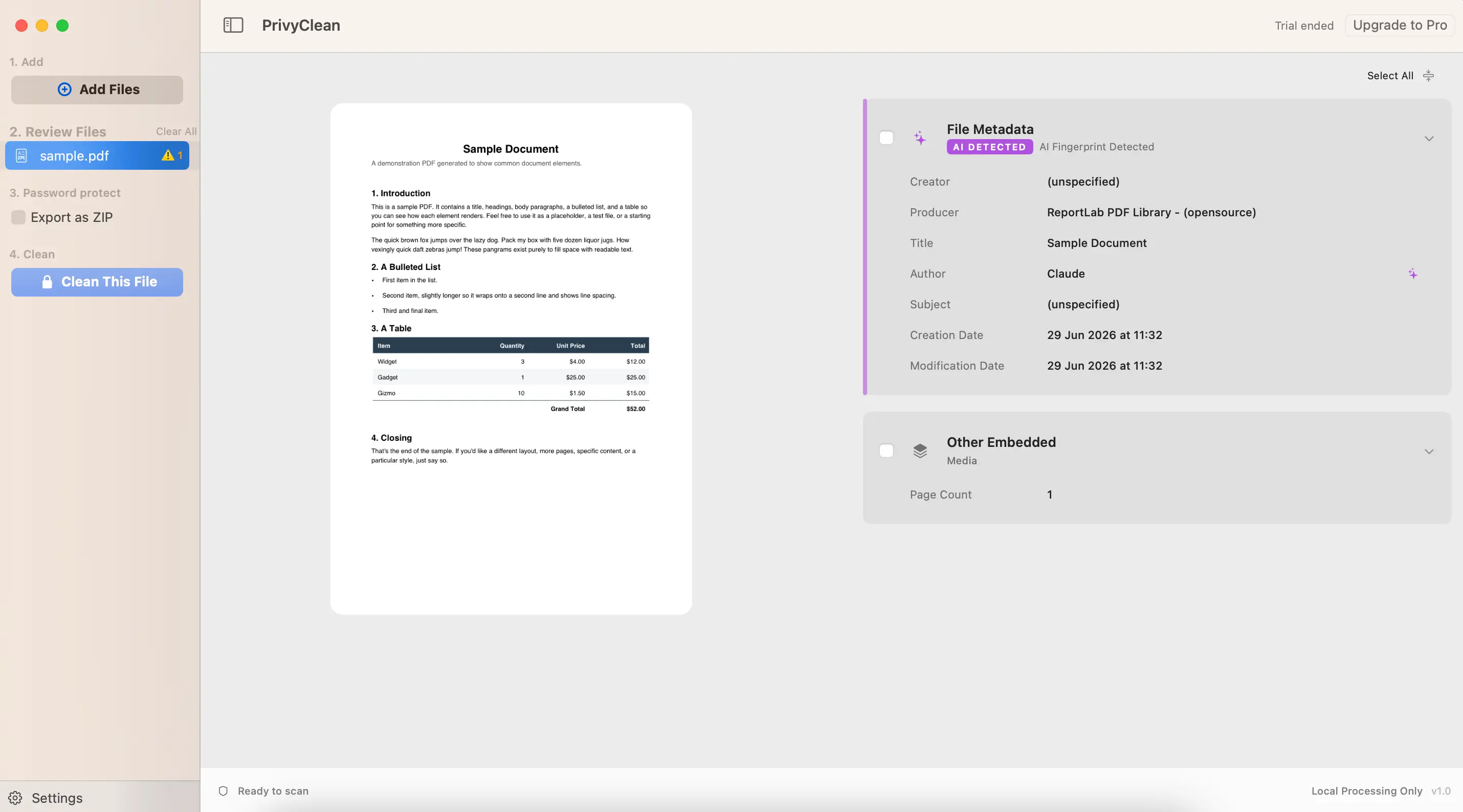
We routinely inspect AI-exported PDFs whose metadata reads like a signed confession — for example an Author field set to "Claude" and a Producer of "ReportLab PDF Library". The typical traces:
- Author / Creator fields naming the AI assistant or left conspicuously unset where a human author's name would normally be.
- Producer strings from generation toolchains — ReportLab, WeasyPrint, wkhtmltopdf, Pandoc, python-docx — libraries humans rarely use directly, but AI code pipelines use constantly.
- Timestamps with no history — created and modified within the same minute, revision count of one. Human documents accumulate editing sessions; generated ones appear fully formed.
- C2PA credentials in embedded images — the chart or hero image made with DALL-E or Firefly keeps its content credentials inside your PDF or deck.
Who should be checking
- Consultants and agencies — a client-facing report whose metadata names an AI tool tells a story about your process and your hours that you did not choose to tell.
- Product managers and engineers — specs, memos, and analyses drafted with AI assistants and exported straight to PDF carry the pipeline's fingerprints by default.
- Anyone under disclosure rules — the flip side: if your context requires AI disclosure (client contract, journal, employer policy, or the EU AI Act), you need to know what your files claim before someone else inspects them.
Check your documents for AI fingerprints
PrivyClean detects AI markers in PDF, Word, and Excel files — author traces, generator libraries, C2PA in embedded images — and cleans what you choose. 100% offline.
Free to try · iPhone $9.99 · Mac $19.99 one-time
Inspect first: the honest workflow
- Drop the file into PrivyClean. Documents with AI traces get an AI Fingerprint Detected flag, with the exact fields listed — which author string, which producer library, which embedded image carries credentials.
- Decide with the facts. Sometimes the right move is removal (a false impression of pure automation on heavily human-edited work, or workflow privacy for internal tooling). Sometimes it is disclosure. Either way, you decide — not your export pipeline.
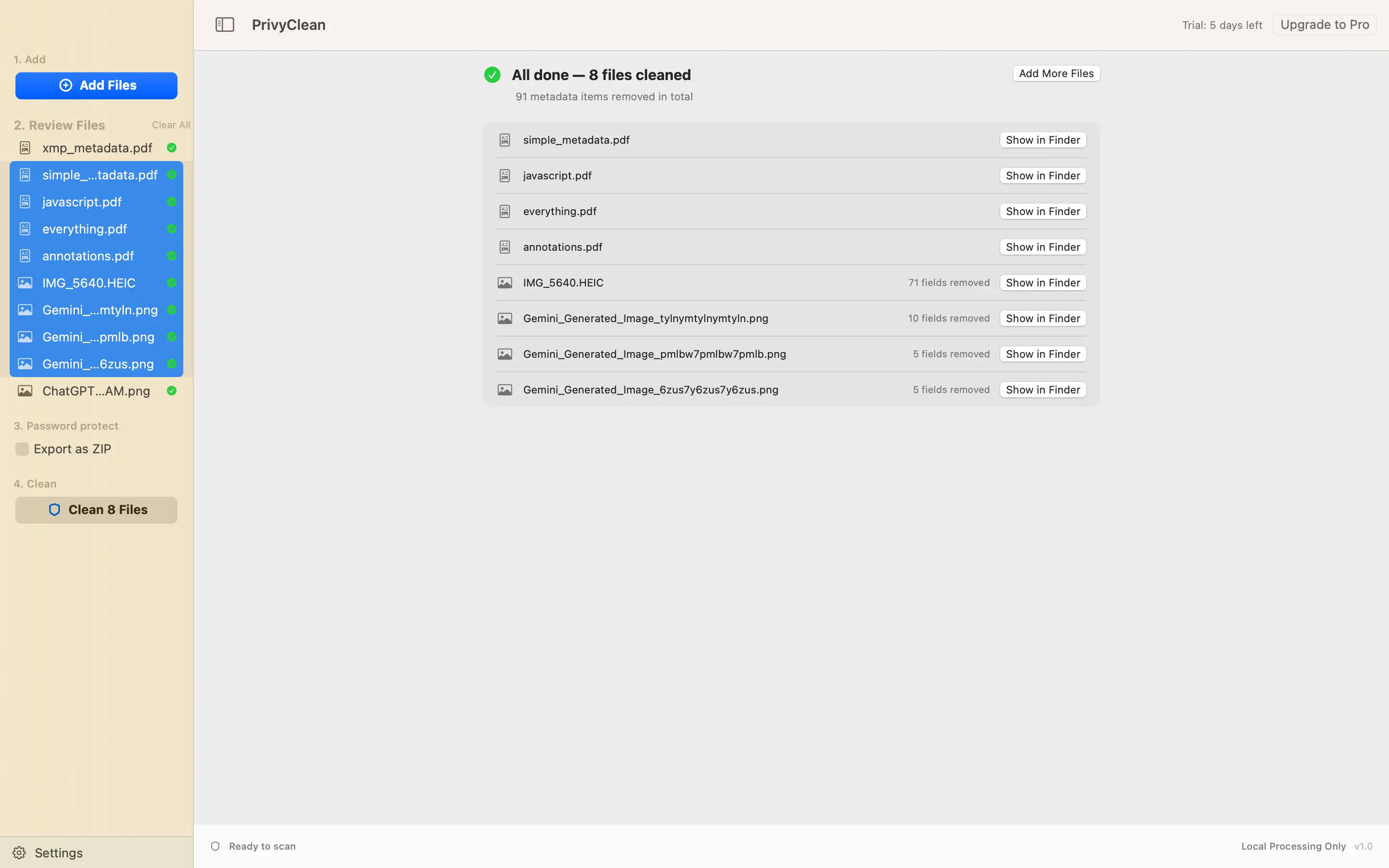
- Export a cleaned copy when removal is the call. Author traces, generator strings, timestamps, and embedded-image credentials are stripped; items that cannot be safely removed are flagged, not hidden. The original stays untouched.
Where this is heading
Provenance metadata is expanding from images into everything else. The EU AI Act's transparency rules (August 2026) push machine-readable AI disclosure across content types, and the C2PA coalition — Adobe, Microsoft, Google, OpenAI — is extending credentials beyond photos. Documents are next. The professionals who do well in that world are the ones who know what their files say before sending them — which has been the point of document metadata hygiene all along.
Related guides
- Remove metadata from Word documents
- Remove metadata from Excel spreadsheets
- Clean hidden metadata from PDFs, Word and Excel files
- What is C2PA? Content credentials explained
- EU AI Act: a practical guide for creators