
Clean your Story image before you post it
PrivyClean strips the C2PA and AI metadata that triggers the Story tag — in seconds, 100% offline.


Free to try · iPhone $9.99 · Mac $19.99 one-time
Fix one Story image right now, free
Drop the image below to strip the C2PA and AI metadata that triggers the tag — one free clean, processed entirely in your browser. Nothing is uploaded. Then add the cleaned file to your Story. For unlimited cleaning, use the iPhone or Mac app. Posting to your feed, Facebook or TikTok instead? The same file fix works there — use the AI label remover.
Drop an image here or click to browse
JPEG, PNG, WebP — up to 25 MB. Processed entirely in your browser.
🔒 Your files never leave your browser. All processing happens locally — no server uploads, no tracking.
Why Stories get the AI tag
The tag is not Instagram judging how your Story looks. It is Instagram reading a block of hidden data inside the file — the same C2PA content credentials and IPTC "Digital Source Type" fields that trigger the label on feed posts. The mechanism is identical across Meta surfaces; if you want the full background, our Instagram AI label guide covers it in depth. What makes Stories different is how people create them:
- Story template and editing apps — CapCut, Canva, and similar apps ship AI-assisted features, and their exports can carry AI provenance tags even when you only used a layout or a color preset.
- Re-shared AI images — an image generated in ChatGPT or Firefly and saved to your camera roll keeps its content credentials, and brings them into your Story.
- One-tap AI edits — a single use of an AI eraser or enhancer on a real photo writes a full AI manifest into the file.
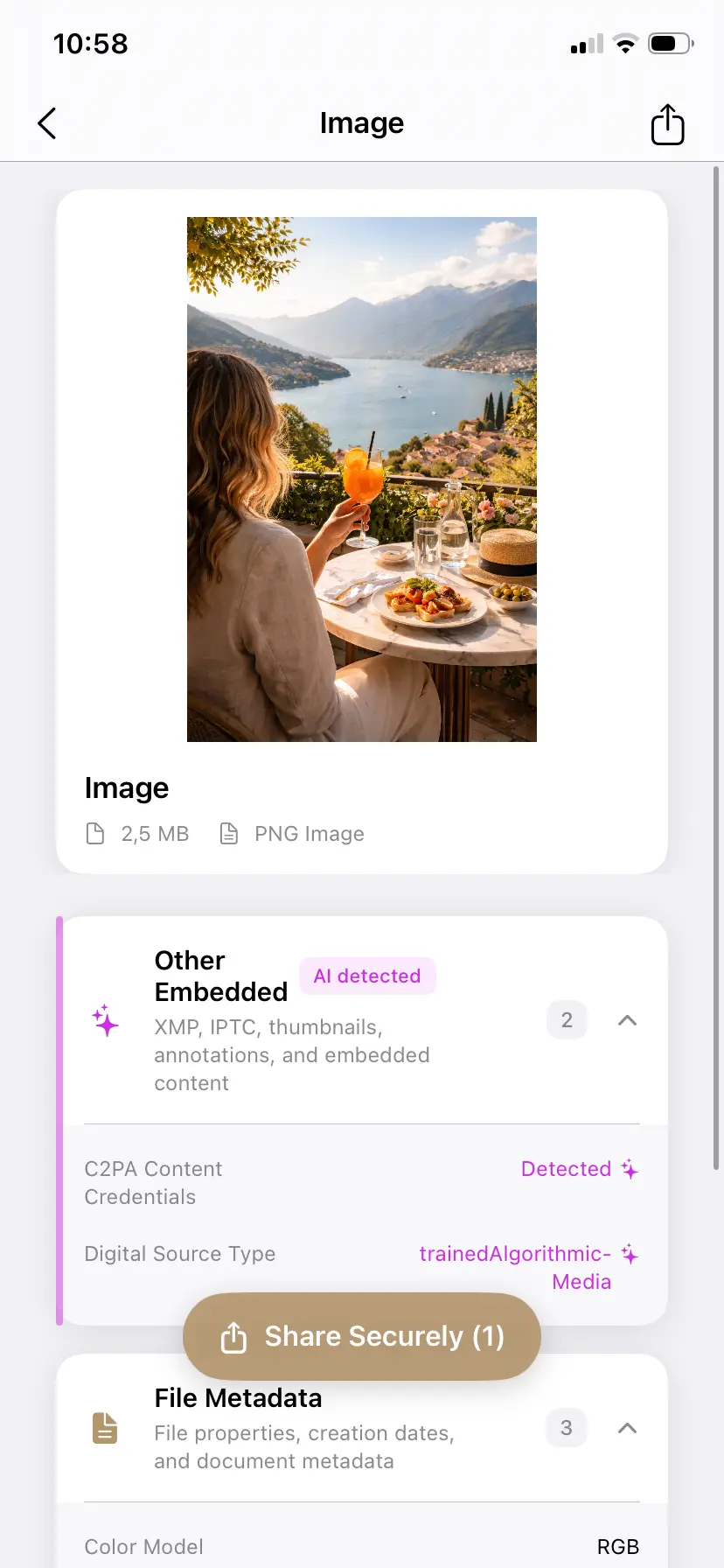
The "Add AI label" toggle won't stop it — here is what actually works
Instagram's "Add AI label" toggle is for labeling content yourself; switching it off does not suppress the automatic tag. Nothing in your account settings or Meta Accounts Center does either while the file still carries AI metadata. The tag reflects the file, so the file is where you fix it:
- Inspect the image first — see exactly which content credentials are embedded and which tool wrote them.
- Clean the C2PA manifest and AI tags, keeping your original untouched and exporting a cleaned copy.
- Post the cleaned copy to your Story. With no AI metadata in the file, there is nothing to tag.
Already posted? Stories are the easy case
A live Story cannot be un-tagged — Instagram caches the AI status at upload. But unlike a feed post with likes and comments, a Story has almost nothing to lose by reposting:
- Delete the tagged Story.
- Clean the original file (the free tool above, or the app).
- Repost. The whole loop takes under a minute.
If the Story is saved to a Highlight, remove it from the Highlight too — the cached label travels with the original upload, and add the cleaned repost instead.
When to keep the tag
If your Story genuinely is AI-generated content and your audience benefits from knowing, keep the disclosure — and note that the EU AI Act makes machine-readable AI disclosure a legal topic in Europe from August 2026. The point of cleaning metadata is accuracy and control: a real photo should not be presented as AI, and that decision should be yours, not a false positive's.
Related guides
- The complete Instagram AI label guide (feed posts)
- The "AI-generated profile" (AI creator) label vs the "AI content" post label
- AI label remover — remove the AI label from any image, free
- Remove C2PA content credentials from any image