
Clean hidden metadata before you share
Inspect what is embedded in your photos and documents, remove what you choose, and export a clean copy — 100% offline on iPhone and Mac, no account, one-time purchase.


Free to try · iPhone $9.99 · Mac $19.99 one-time
What an Excel file actually carries
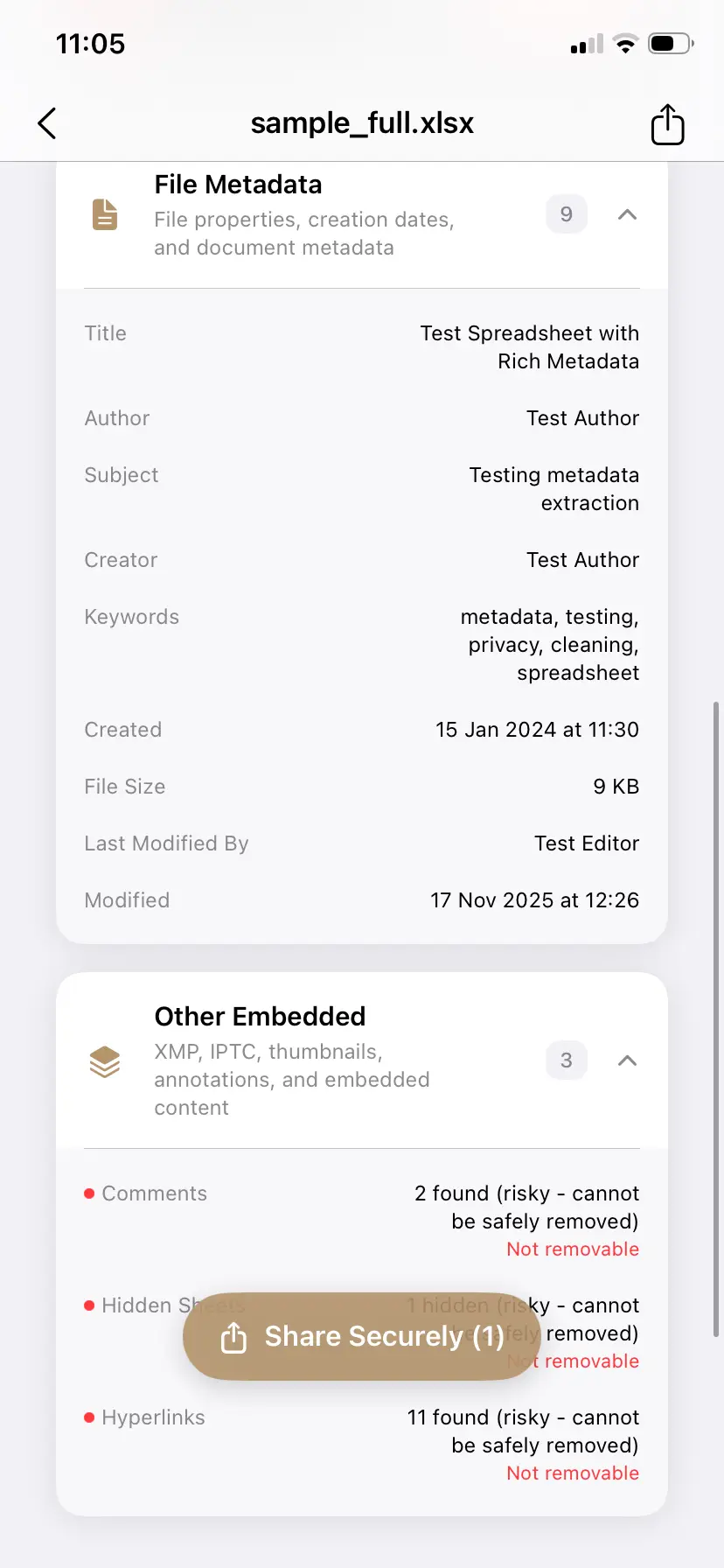
- Author and Last modified by — account names, including everyone whose machine last saved the reused template.
- Company and Manager — auto-filled from the Office install that created the file. Reused workbooks inherit the original firm's values.
- Total editing time — cumulative minutes of editing. Awkward in both directions: 12 minutes on a "detailed analysis," or 40 hours on a "quick estimate."
- Created and Modified timestamps — when the model was really built vs when you said it was.
- Comments and notes — internal remarks attached to cells.
- External links — references to other workbooks whose file paths can expose folder trees like
Clients/AcmeCorp/2026 pricing/. - Defined names and hidden sheets — not metadata, but frequently forgotten content; a cleaner should make you aware of them, not pretend they are gone.
Who this bites, in practice
- Accountants and financial analysts — the model reused across clients still names the previous engagement in its company field or linked-file paths.
- Consultants — "Last modified by" reveals which junior actually built the deliverable, or that the "custom" analysis started life as another client's file.
- HR and operations — salary bands and headcount sheets where the author trail and editing history say more than intended.
- Founders and sales — pricing sheets whose editing time and timestamps undercut the negotiation story.
See what your spreadsheet says about you — then remove it
PrivyClean shows every hidden field with its actual value and cleans XLSX, DOCX, and PDF in one pass. Batch a whole folder on Mac — 100% offline.
Free to try · iPhone $9.99 · Mac $19.99 one-time
The manual route (and its limits)
Excel's Document Inspector — File → Info → Check for Issues → Inspect Document — removes document properties from one workbook at a time. It is serviceable for a single file, but it shows categories rather than the actual values, must be re-run manually on every file and every revision, and differs between Excel for Windows and Mac. If spreadsheets leave your machine weekly, a one-at-a-time checkbox is where the leaks come from.
How to remove metadata from Excel (step by step)
- Inspect — drop the file into PrivyClean and see the real values: which names, which company, how many minutes of editing.
- Clean — export a cleaned copy with author, company, timestamps, and risky fields removed. The original stays untouched.
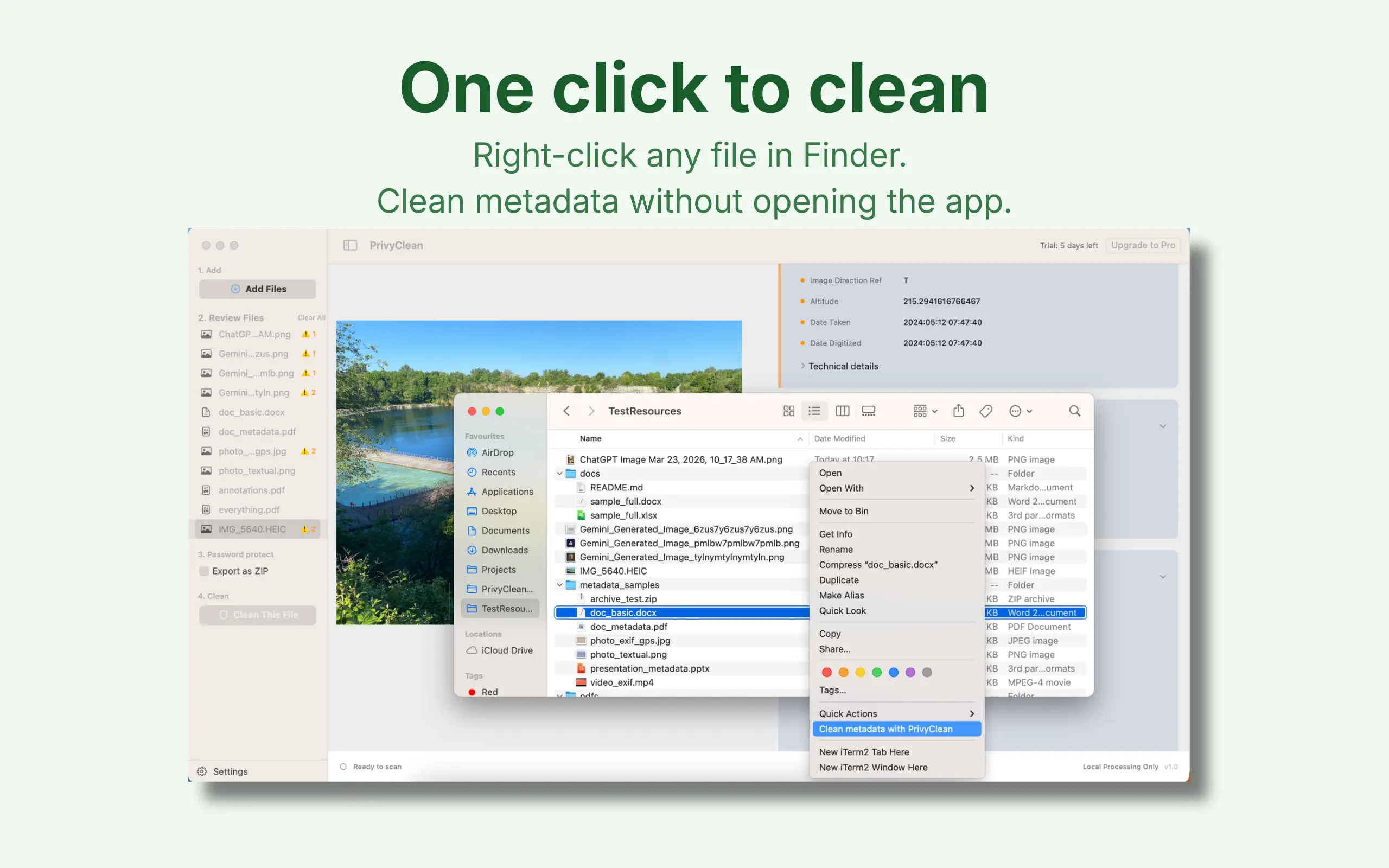
- Batch on Mac — drop the whole deliverables folder in, or right-click files in Finder → Quick Actions → Clean Metadata. Every file that goes out gets the same pass.
All three steps in under half a minute, including a spreadsheet in the batch: inspect the real values, clean, and get the copies back in Finder. That right-click route is the Mac metadata remover's Finder Quick Action, which cleans a whole folder of spreadsheets in one pass.
Scrubbing metadata from an Excel file: what actually gets removed
"Scrub", "strip", "clean", and "remove" all describe the same job, but it helps to be precise about what a scrub does and does not touch. Cleaning an XLSX rewrites the package's metadata parts and leaves your data alone:
- Removed —
CreatorandlastModifiedBy(author names),CompanyandManagerfrom the Office install,created/modifiedtimestamps,TotalTime(cumulative editing minutes),ApplicationandAppVersion, plus any custom document properties your template or DMS injected. - Kept — every cell value, formula, chart, pivot table, conditional format, named range, and sheet. A cleaned workbook opens and recalculates exactly like the original.
- Not metadata, so still your job — hidden sheets, hidden rows and columns, filtered-out data, comments, and the contents of cells you simply scrolled past. These are content, and no metadata tool should silently delete content. Unhide and check them before you send.
That last distinction is the one that catches people out. A spreadsheet that has been through Document Inspector can still carry last quarter's numbers on a hidden sheet — the properties are gone, the data is not.
Why CSV is not a shortcut
Saving as CSV does strip the metadata, because CSV has nowhere to put it. It also strips your formulas, formatting, multiple sheets, and charts, which usually makes it the wrong trade for a deliverable. Cleaning the XLSX keeps the workbook intact and removes only the hidden layer — that is the difference between sending a working model and sending a flat dump of values.
Related guides
- Remove metadata from Word documents
- Clean hidden metadata from PDFs, Word and Excel files
- AI metadata in documents — what your files reveal about how they were made