
Clean hidden metadata before you share
Inspect what is embedded in your photos and documents, remove what you choose, and export a clean copy — 100% offline on iPhone and Mac, no account, one-time purchase.


Free to try · iPhone $9.99 · Mac $19.99 one-time
Free C2PA remover — runs in your browser, nothing uploaded
Drop a JPEG or PNG below. The tool strips the C2PA manifest, XMP/IPTC AI tags, and other metadata locally on your device — your image never touches a server. That is the difference from most "free online C2PA removers," which process your file in the cloud. One clean is free; for unlimited images, batches, and HEIC/PDF/Office files, use the iPhone or Mac app.
Drop an image here or click to browse
JPEG, PNG, WebP — up to 25 MB. Processed entirely in your browser.
🔒 Your files never leave your browser. All processing happens locally — no server uploads, no tracking.
What a C2PA manifest actually is
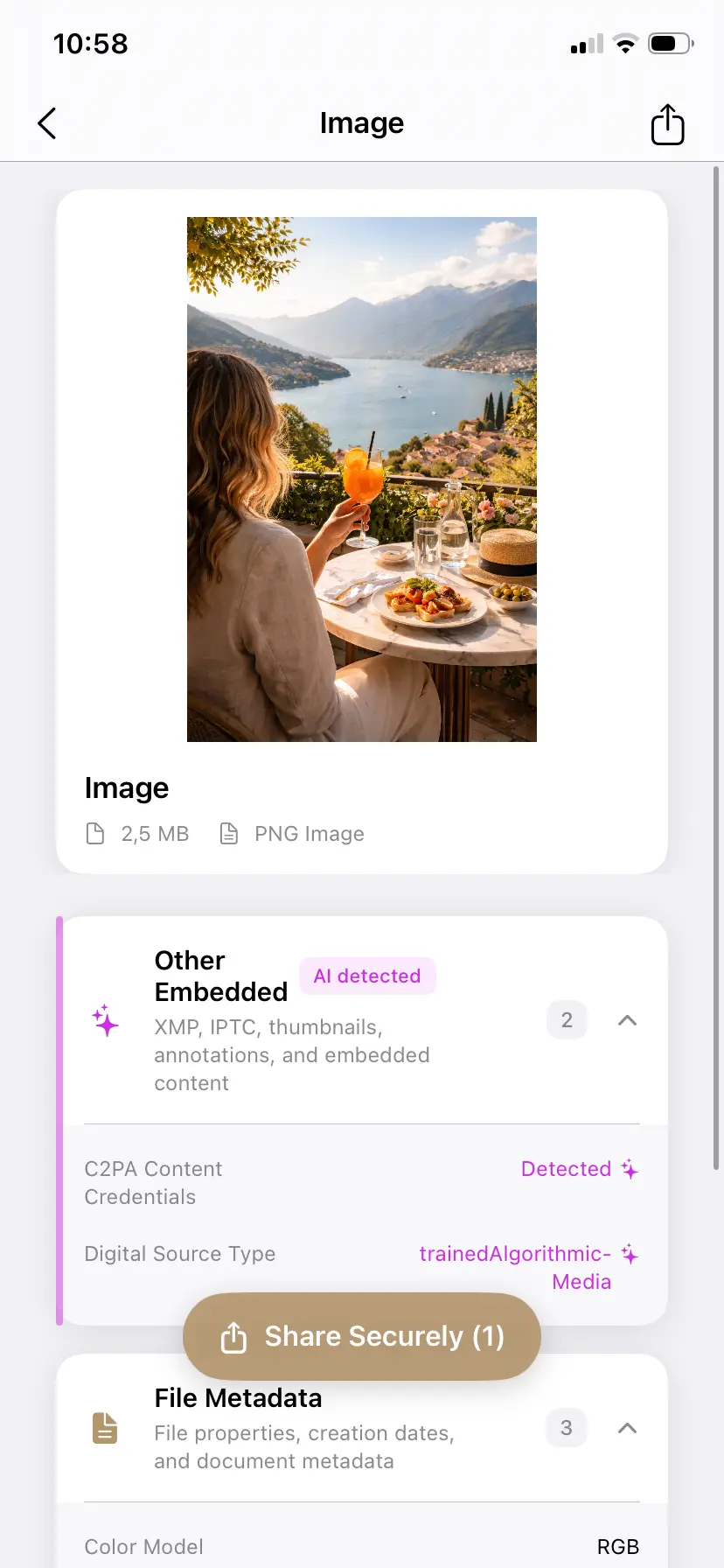
C2PA (Coalition for Content Provenance and Authenticity) is the industry standard behind "content credentials" — backed by Adobe, Microsoft, Google, OpenAI, and Meta. Tools that support it write a cryptographically signed manifest into the file's metadata container: JUMBF boxes in JPEG, XMP packets in PNG. The manifest typically records:
- the application that created or edited the image (e.g. ChatGPT, Firefly, Photoshop, Canva),
- a digital source type —
trainedAlgorithmicMediamarks AI generation, - timestamps and an edit history ("actions"),
- a signature identifying the issuing tool.
Because it lives in metadata, not pixels, removing it leaves the image visually identical. For the full background, see What is C2PA? Content credentials explained.
Why people remove content credentials
People use a C2PA remover for three main reasons: correcting false-positive AI labels on real photos, stopping platforms from auto-labeling uploads, and keeping their editing workflow private. In detail:
- False positives — one AI Denoise or Generative Fill pass on a real photograph writes a full AI manifest, and platforms then label your real photo as AI. Removing the credentials corrects the record.
- Auto-labeling on platforms — Meta (Instagram, Facebook), TikTok, LinkedIn, and Pinterest read C2PA at upload and label automatically. See our Instagram and Facebook and cross-platform guides for the platform side.
- Workflow privacy — the manifest can reveal which tools you used and when. For client work or commercial assets, that is information you may not want to publish with every export.
Proof: the same image with and without its credentials
We posted the same AI-generated image twice — once as exported, once after removing its content credentials. Only the version still carrying C2PA was labeled by the platform.
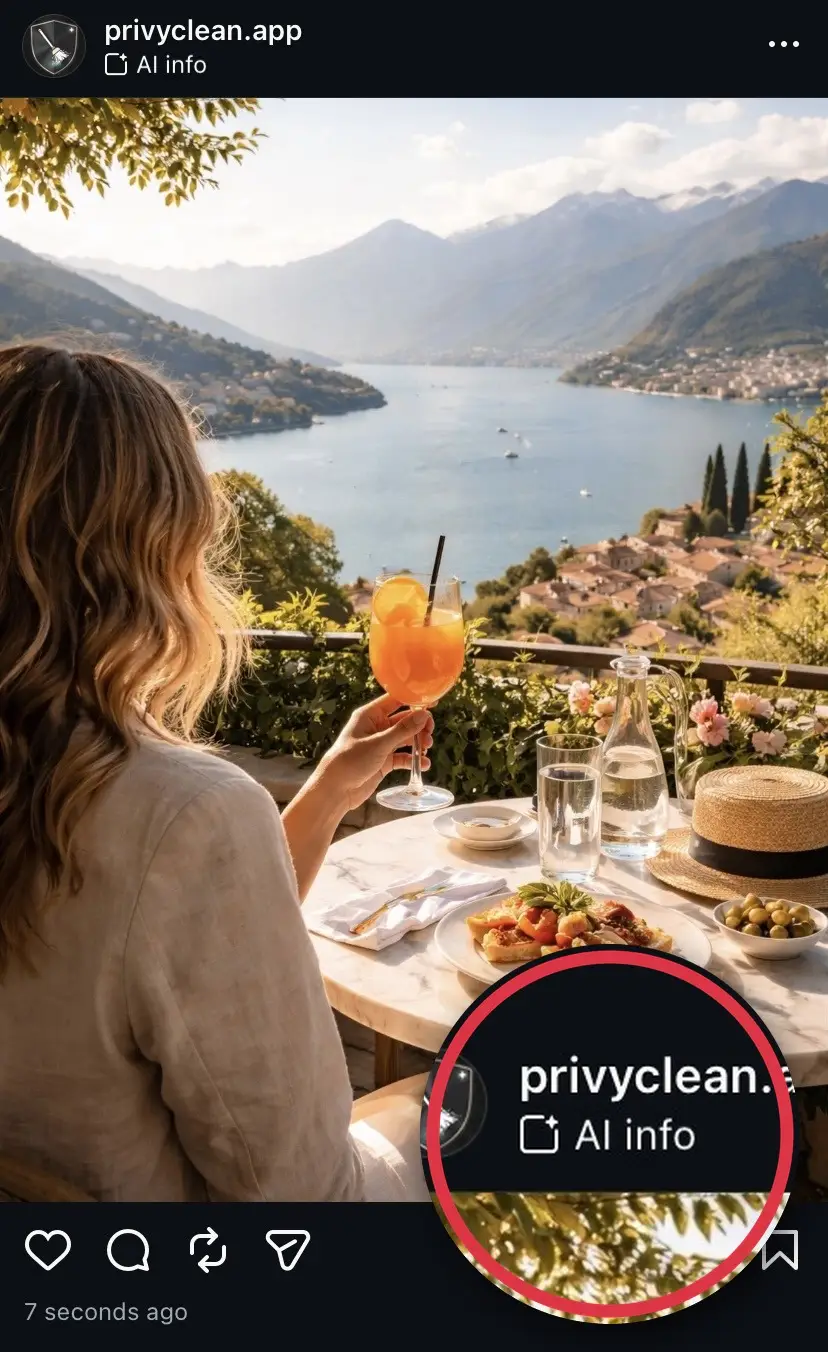
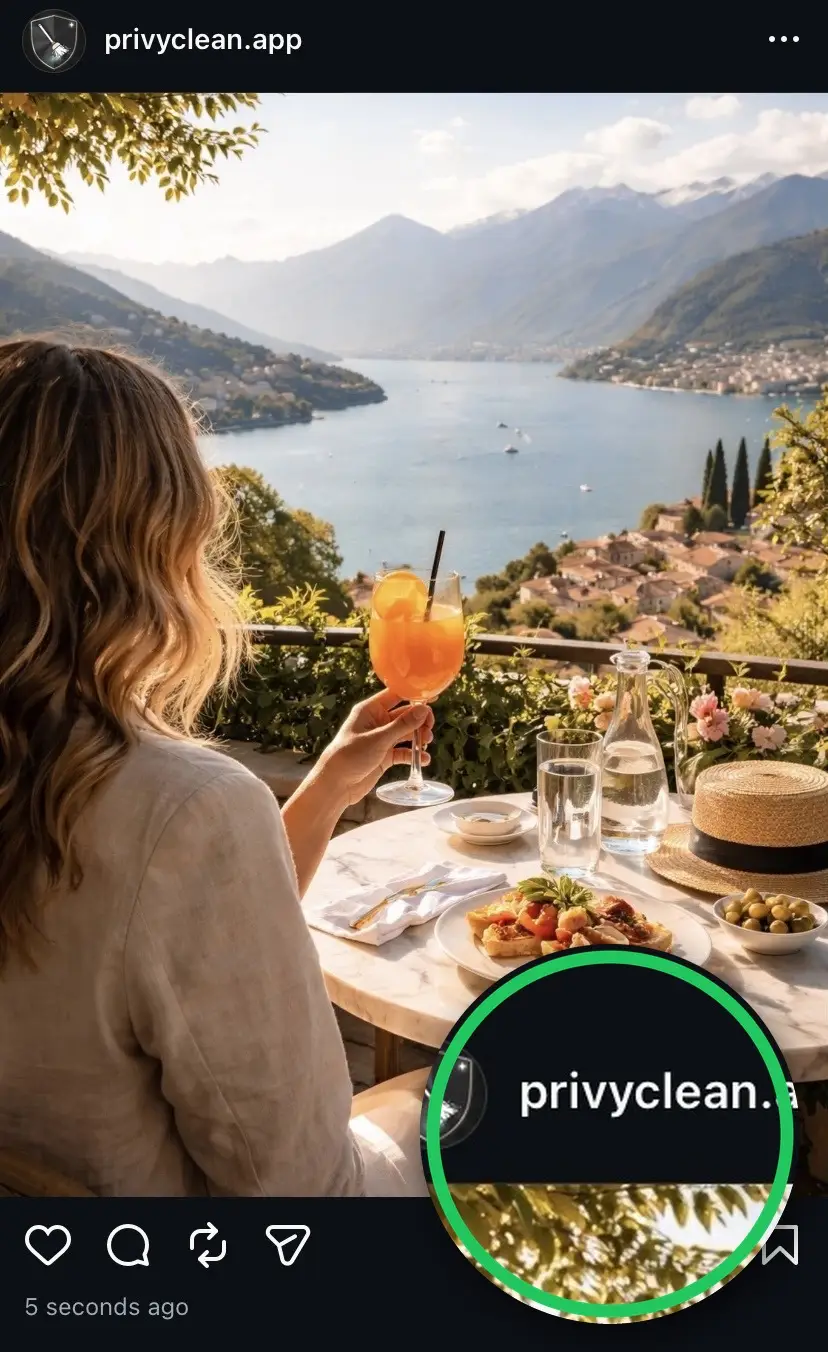
Result from our own test. Instagram’s labeling can change over time and may use other signals in the future, but removing C2PA and AI metadata addresses the most common trigger today.
Batches, HEIC, PDFs, Word and Excel too
The PrivyClean apps inspect and remove content credentials and all other metadata — entirely offline, one-time purchase.
Free to try · iPhone $9.99 · Mac $19.99 one-time
How to remove content credentials (and verify it worked)
- Inspect the file. Open the image in PrivyClean (or the free tool above). You will see the AI & Provenance group with the exact credentials present — which tool, which source type.
- Export a cleaned copy. The C2PA manifest, XMP and IPTC AI tags are stripped. Your original stays untouched.
- Verify. Re-inspect the cleaned copy — the AI & Provenance group is empty. You can also cross-check with any C2PA inspector: no manifest found.
When to keep content credentials
Provenance data exists for good reasons. Keep it when disclosure is the point: genuinely AI-generated content for an audience that values transparency, editorial and news workflows, or EU distribution where the EU AI Act expects machine-readable AI disclosure from August 2026. PrivyClean is inspect-first by design — you see what the file says before you decide to remove anything.
Related guides
- What is C2PA? Content credentials explained
- Remove AI labels across platforms
- The Instagram AI label, explained
- How to remove the AI content label from Instagram Stories
- Check if your image carries AI metadata