
Clean hidden metadata before you share
Inspect what is embedded in your photos and documents, remove what you choose, and export a clean copy — 100% offline on iPhone and Mac, no account, one-time purchase.


Free to try · iPhone $9.99 · Mac $19.99 one-time
What changed on 31 August 2026
- New name. The profile label that used to read "AI creator" now reads "AI-generated profile".
- Narrower purpose. It is meant for profiles that feature an AI-generated person. Instagram's reasoning is that people want to know when the person on a human-looking profile is not real.
- Reach now depends on it. Profiles that feature an AI-generated person without the label can have their reach limited, meaning Instagram recommends them less to people who do not already follow them. Profiles that carry the label are not penalized for it.
- AI editing does not count. Instagram says using AI to edit photos, polish captions or generate backgrounds does not call for the profile label.
The two labels, side by side
- "AI-generated profile" (profile label, formerly "AI creator") — appears under your name on the profile. Account-level. Controlled in your profile settings.
- "AI content" (post tag, formerly "AI info") — appears on an individual post, Story, or Reel. File-level. Applied automatically when the uploaded file carries C2PA content credentials or AI-related IPTC tags. Switching off "Add AI label" when you post does not stop it.
Fixing the wrong one is why so many people report "the label won't go away" — they flip the profile setting and the per-post tags keep coming, because those are driven by the files themselves.
Removing the "AI-generated profile" label
Check first: if your profile features an AI-generated person — a virtual influencer or an AI persona — keep the label on. Since 31 August, removing it can cost you reach, and it is the disclosure Instagram asks for. If your profile is a real person who sometimes uses AI tools, the label is not meant for you and you can turn it off:
- Open Instagram and go to your profile.
- Tap Edit profile.
- Find the AI-generated profile setting (called "AI creator" before 31 August) and turn it off.
If the label seems to come back
First, check which label you are actually looking at. If it is on individual posts, Stories or Reels rather than under your name, it is the per-post "AI content" tag — and no profile setting controls that. It comes from the files you upload, so it returns on every new post that still carries AI metadata.
Second, if your profile does feature an AI-generated person, Instagram expects the profile label to stay on. Turning it off is exactly the case its new reach limits are aimed at.
Why your posts still say "AI content"
The post tag is metadata-driven. AI tools — ChatGPT, Firefly, Midjourney — and AI features inside ordinary editors — Photoshop Generative Fill, AI Denoise, CapCut and Canva exports — write provenance metadata into the file. Instagram reads it at upload and labels the post automatically, with no human review. Switching off the profile label, or the "Add AI label" toggle when you post, does not change that — and the automatic tag cannot be removed from a live post in Edit.
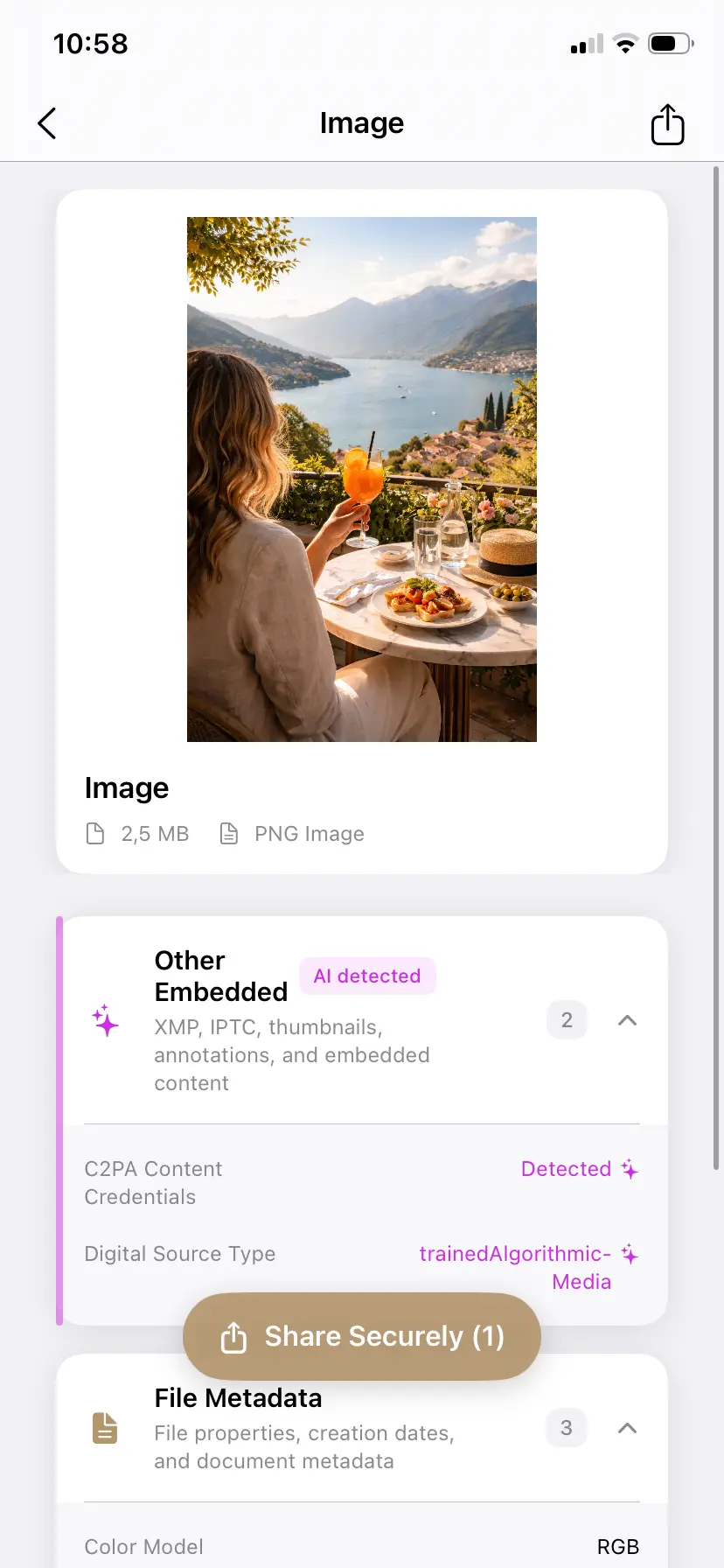
Clearing those tags is a different job from the profile setting above, and it is covered in full — the exact steps, which tools write the metadata, and what to do about posts you have already published — in the complete guide to removing the AI label from an Instagram post.
PrivyClean does the cleaning entirely offline on iPhone and Mac — your photos never leave your device.
Stop false-positive AI tags before they start
Inspect what AI metadata your files carry and clean it before posting — 100% offline, one-time purchase.
Free to try · iPhone $9.99 · Mac $19.99 one-time
Why photographers end up with a feed full of AI labels
A wedding photographer who runs every image through AI Denoise ships AI metadata in every file, and every post gets the "AI content" tag — so the feed reads like an AI account to followers even though every photo is real. The profile label has nothing to do with it. Cleaning metadata from photos that are not meaningfully AI-generated is how you correct the record at the source — it is about accuracy, not concealment. Content that genuinely is AI-generated may warrant keeping its disclosure, especially in the EU under the EU AI Act rules for creators.
Related guides
- The complete Instagram AI label guide
- Remove the AI content label from Instagram Stories
- Remove C2PA content credentials from any image
- What is C2PA? Content credentials explained