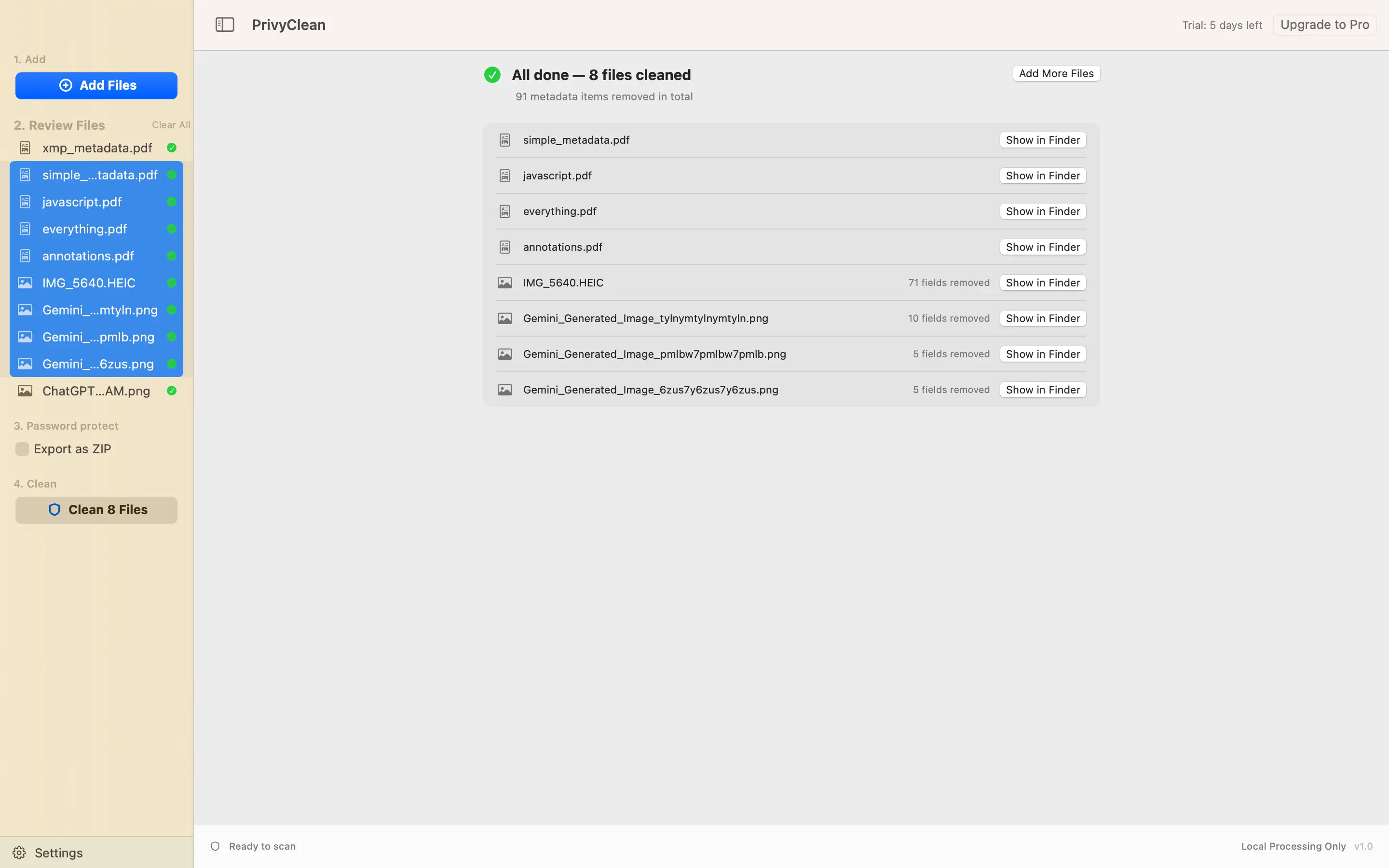
More than one file to clean?
Batch-clean photos, HEIC, video, PDFs, Word and Excel in one pass — 100% offline, no account, one-time purchase. iPhone and Mac.


Free to try · iPhone $9.99 · Mac $19.99 one-time
What a metadata remover takes out
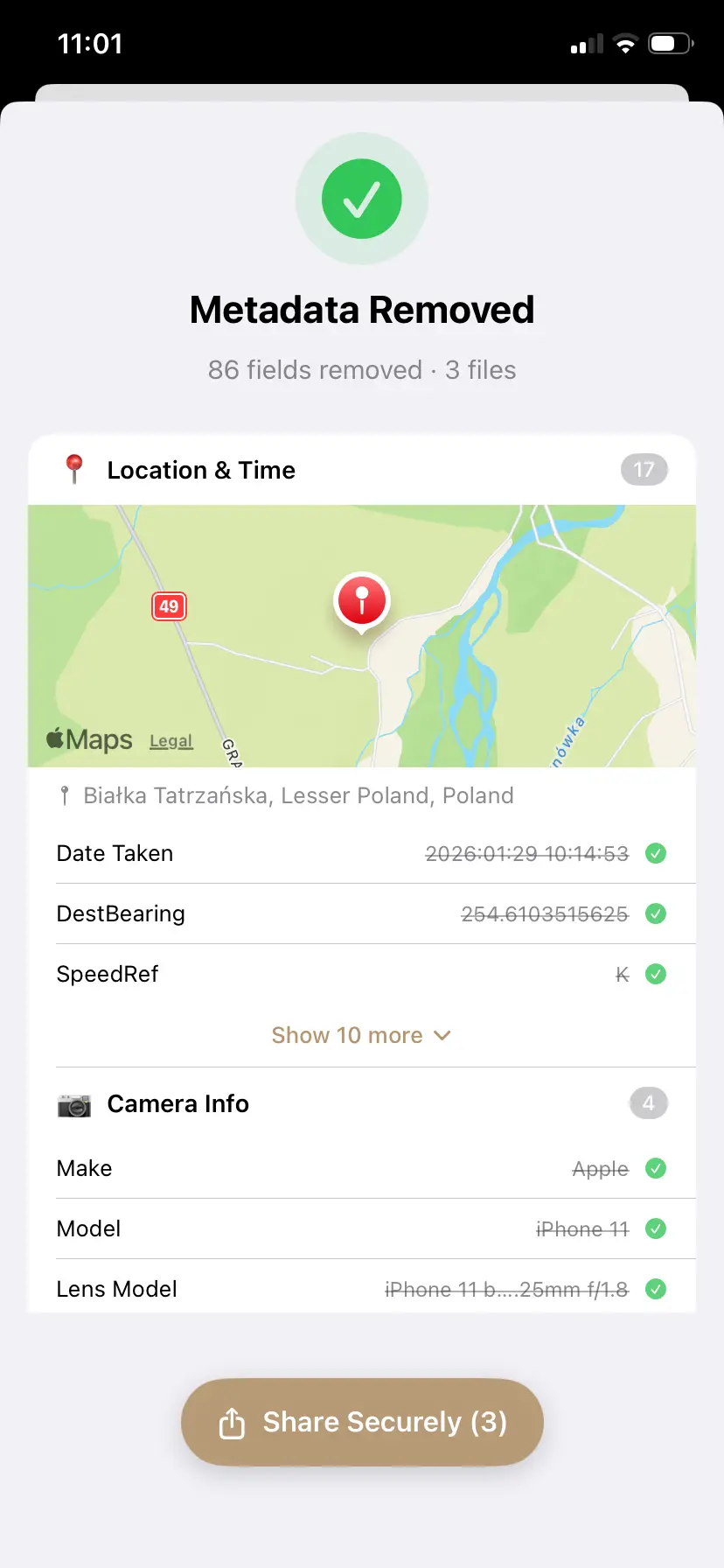
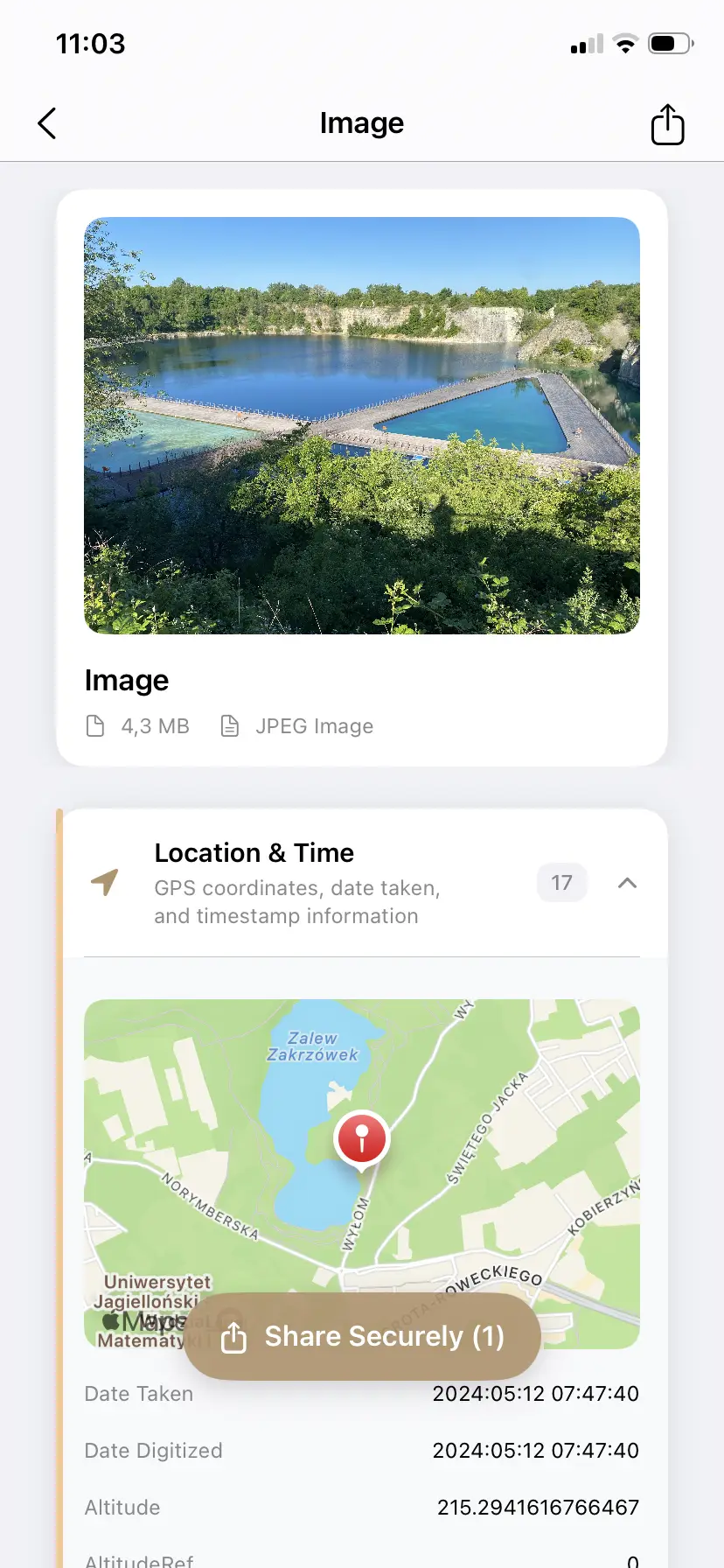
Metadata is information stored inside the file next to the image. Most of it is written automatically by the camera or phone, and more is added by every app that edits or exports the photo. A metadata remover deletes these fields:
- Location: GPS latitude, longitude and altitude, often accurate to a few metres. A photo taken at home gives away the address.
- Date and time: when the photo was taken and when it was last edited, sometimes with the time zone.
- Device details: phone or camera make and model, lens, and on many cameras the body serial number, which ties separate photos to one device.
- Shooting settings: exposure, aperture, ISO, focal length, flash.
- Software and edit history: the app that exported the file and, in some formats, a record of edits.
- Embedded thumbnail: a small preview that can still show the uncropped original after you crop the photo.
- AI and provenance tags: C2PA content credentials and IPTC source tags written by AI tools and editing apps. These are what social platforms read to add an "AI" label; see the AI label remover.
The standard behind most of these fields is EXIF. If you want the background, read what EXIF data is and what it contains.
How the free remover works, and its limits
The tool on this page runs in your browser. It reads the file on your device, lists what it found, and when you clean it, redraws the image and saves a new file that contains only the picture. Nothing is sent to a server.
Three things to know before you rely on it:
- The cleaned copy is a re-saved image. A JPEG is saved again at 95% quality and an embedded colour profile is not carried over. A PNG stays lossless. Your original file is not touched.
- It handles one image at a time, in JPEG, PNG or WebP. Browsers cannot decode HEIC, the default format on recent iPhones, and the tool does not clean video, PDFs or Office files.
- One free clean per device. Checking files is unlimited.
Beyond that, the PrivyClean apps do the same job without those limits: batches, HEIC, MOV and MP4 video, PDFs, and Word and Excel files, all offline. On iPhone it also works from the Share button in Photos; on Mac it adds a right-click Quick Action in Finder. See the metadata remover for Mac.
Why an offline remover matters
Many online metadata removers work by uploading your file to their server, cleaning it there and sending it back. That means the photo you wanted to keep private, complete with its location and device details, has been handed to a third party before it was cleaned. If the reason you are removing metadata is privacy, check how a tool handles the file before you use it. This one never receives it.
What your phone and computer do on their own
The built-in options are worth knowing, and each stops short somewhere:
- iPhone: when you share from Photos, tap Options and switch off Location. That removes the location from that one share. The camera model, timestamps and other fields still go with the photo.
- Mac: Preview shows some of a photo's metadata but does not remove it.
- Windows: in File Explorer, Properties › Details › "Remove Properties and Personal Information" clears a set of common fields. It does not cover everything a file can carry, such as AI content credentials.
- Screenshots: a screenshot has none of the original's metadata, but it also lowers the resolution and quality of the image.
A dedicated remover shows you what is in the file first, removes all of it, and lets you confirm the result. To inspect without cleaning, see how to check a photo's metadata.
When to remove metadata, and when to keep it
Remove it before a photo leaves your hands for somewhere public or semi-public: a listing on a marketplace, a dating profile, a forum post, a file sent to someone you do not know well. Location and device details are the fields that do harm there.
Keep it when the record is the point. Photographers rely on capture data and copyright fields, some competitions and newsrooms ask for the original file, and your own photo library sorts and maps pictures using these fields. That is why cleaning should produce a copy and leave the original alone.
Related guides
- Remove GPS location from photos before sharing
- Remove camera model and device details
- Check what metadata a photo carries
- AI label remover: remove the AI label from an image
- Remove metadata from a video
- Remove metadata from a PDF
- Clean metadata from PDF, Word and Excel files
- Metadata remover apps for iPhone compared
- What is EXIF data?